
Writing a high-quality guest post requires finding the right websites, writing in the blog’s brand voice, creating value-added content, and following the publication’s editorial guidelines.
But if only it were that easy.
If you’re here, then you’re probably struggling with your guest posts getting rejected. Or maybe you just don’t know where to even begin with guest blogging.
Either way, we’re going to help.
We’ve helped build more than 12,000 guest posts at our link building marketplace in recent times, and we took a look at what separates approved posts from rejected ones. And when our customers buy guest posts, our writing team helps create content that editorial teams will happily publish.
In other words, we know how to write guest posts that get accepted.
This guide is not your typical “write good content” or “pitch the right publications” post. This is a guide on writing high-quality guest blogs with real, actionable advice from our writing team. By the end, you will know how to create content that editors accept every time.
Let’s cover each of the tips for creating high-quality guest blogs one by one…
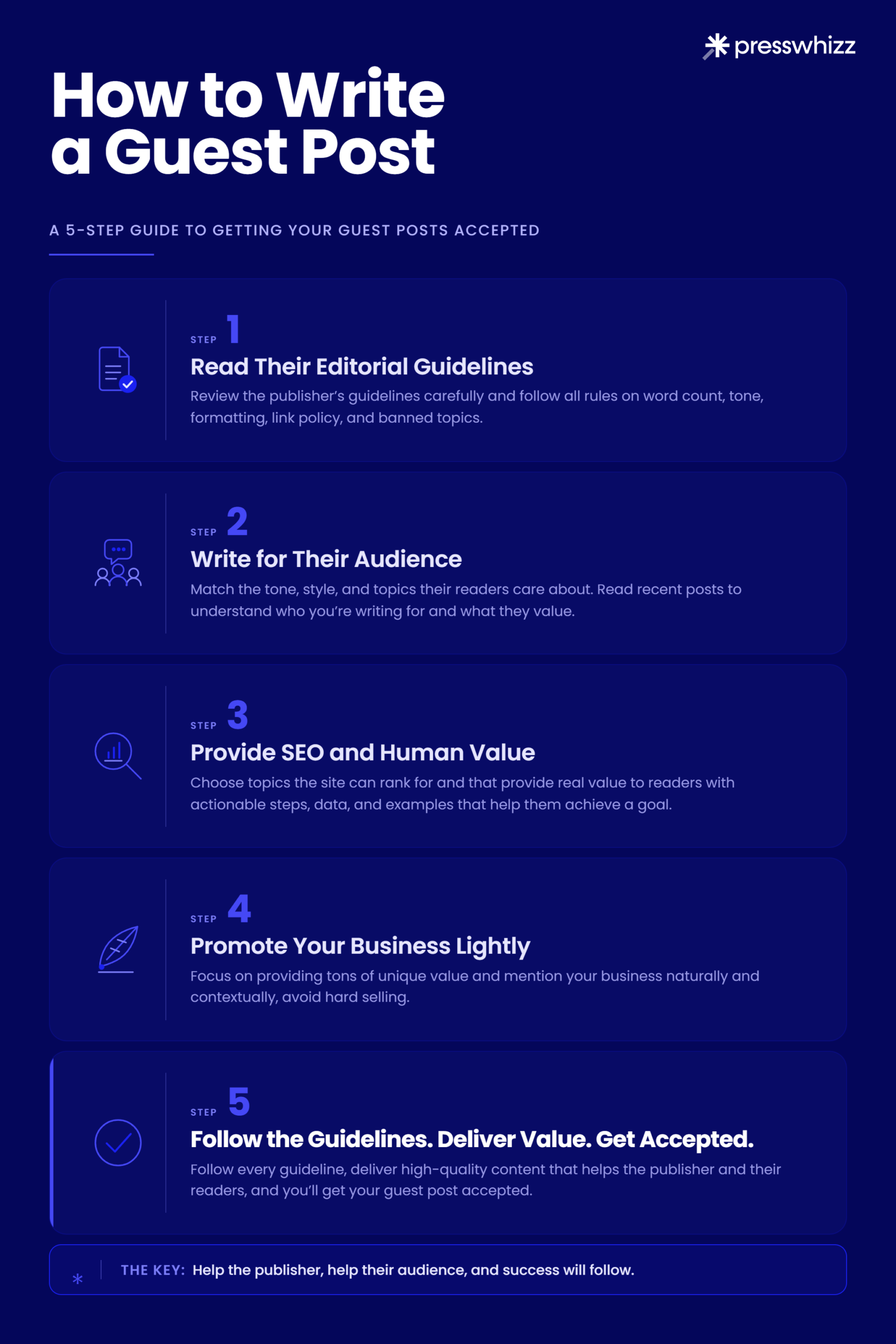
Read Their Editorial Guidelines
Editorial guidelines are a guest post publisher’s editorial standards. Editorial guidelines define what a publisher will and won’t publish, and they’re usually found on the write-for-us or contribute pages of a website. A site’s publishing guidelines cover word count, voice, tone, target audience needs, link rules, formatting, and banned topics.
Every rule on that page protects the publisher’s organic traffic and reader trust. If you don’t follow the guidelines, your SEO guest post won’t get published.
This is reason #1 that websites reject guest blog posts. The problem I see is that most SEOs skim the page and ignore the guidelines.
I see it constantly across our publisher network. SEOs ignore the word count, promote themselves too much, or just write some AI-generated text that doesn’t adhere to the site’s brand voice. Then, they complain that guest post link building is dead.
The first thing we do when writing guest posts for our customers is check the editorial standards and then look at successful guest posts on the site so we can emulate that tone and style.
Pro Tip: Extract the guidelines, put them into a document, and pass it along to your writing team. Double check before you send the post that your writers have followed the directions.
Write for Their Audience
Once you read the guidelines, make sure to write high-quality content that matches the publisher’s audience. That means matching their tone, their style, and the topics their readers care about. For example, a blog for developers probably wants technical depth and code examples, and a small business site wants plain language and practical steps.
If you don’t match your content to the publisher’s audience, you’ll almost certainly get rejected.
Again, read three or four of their recent posts, so you know exactly who you’re talking to.
This provides direct value to you in two ways:
- It sends more referral traffic: If your post resonates with their audience more, they’re more likely to click through to your site.
- It improves your publisher relationship: High-quality guest posts that perform mean you’ll get more opportunities in the future.
But the main benefit is simply getting your posts approved more often.
I see SEOs either disregarding the editorial guidelines or writing for their own audience, which usually leads to rejection. Sites that accept guest posts have countless options. If you don’t write something their audience wants, they’ll find someone who will.
Here’s a good example of a guest post we published where we adjusted our tone to the publisher’s audience:
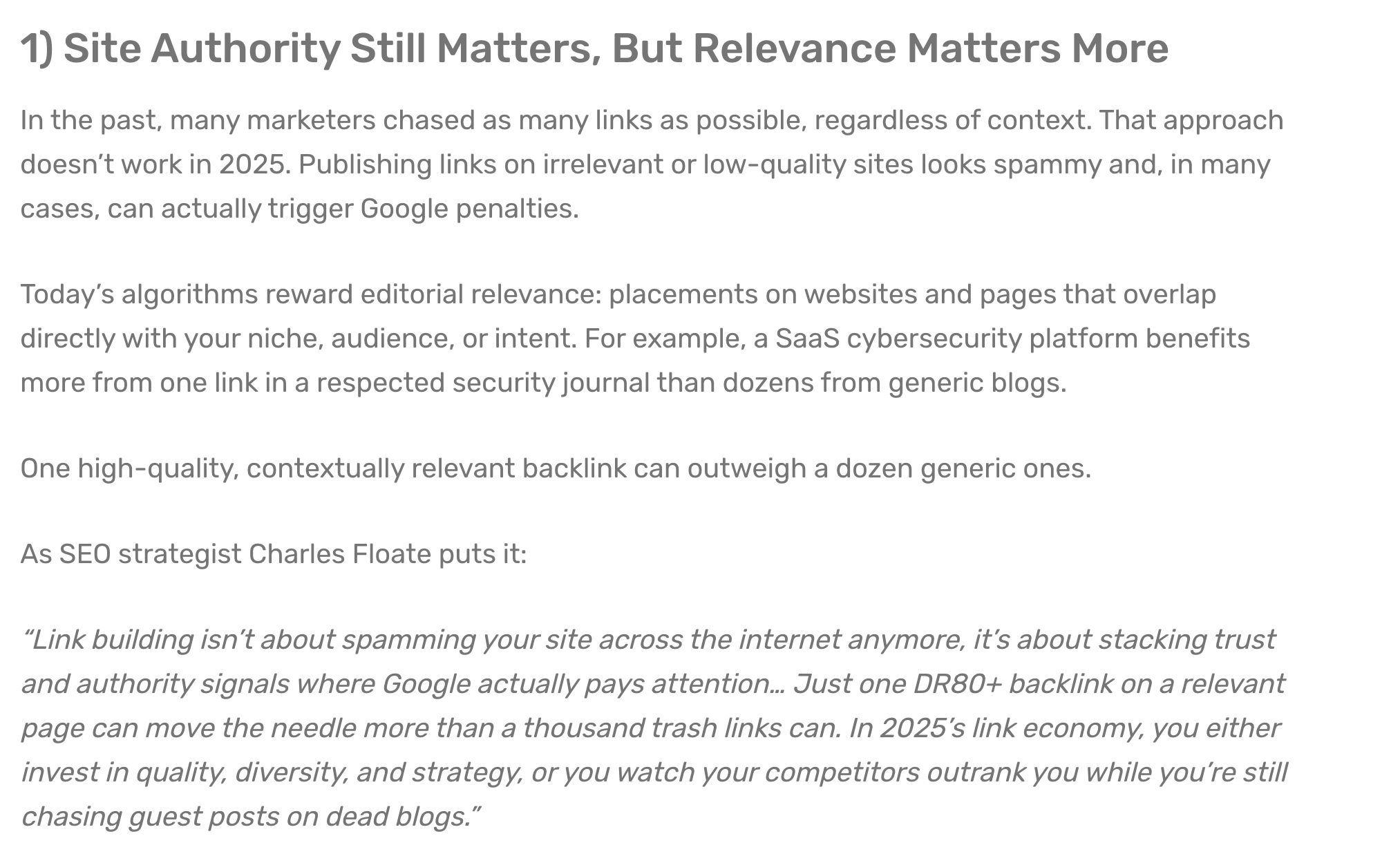
This tone is a bit more professional than the personable tone we use here at PressWhizz, but it’s what their audience responds to. When you’re a guest blogger, you have to follow house rules.
Provide SEO and Human Value
This is a next-level tip for writing high-quality guest posts.
Your guest post should provide SEO value for the publisher by covering keywords the site doesn’t rank for yet, so the post brings in organic traffic the site wasn’t capturing before. It should also provide added value that readers can use, meaning specific steps, data, and examples that help them achieve a goal.
This is a competitive advantage that most guest posters never think about. They write whatever topic they want and send it over without thinking about the publisher. A guest post that ranks and earns real engagement makes the editor want to work with you again, which gets you repeat placements on a site you’d otherwise have to pitch cold every time.
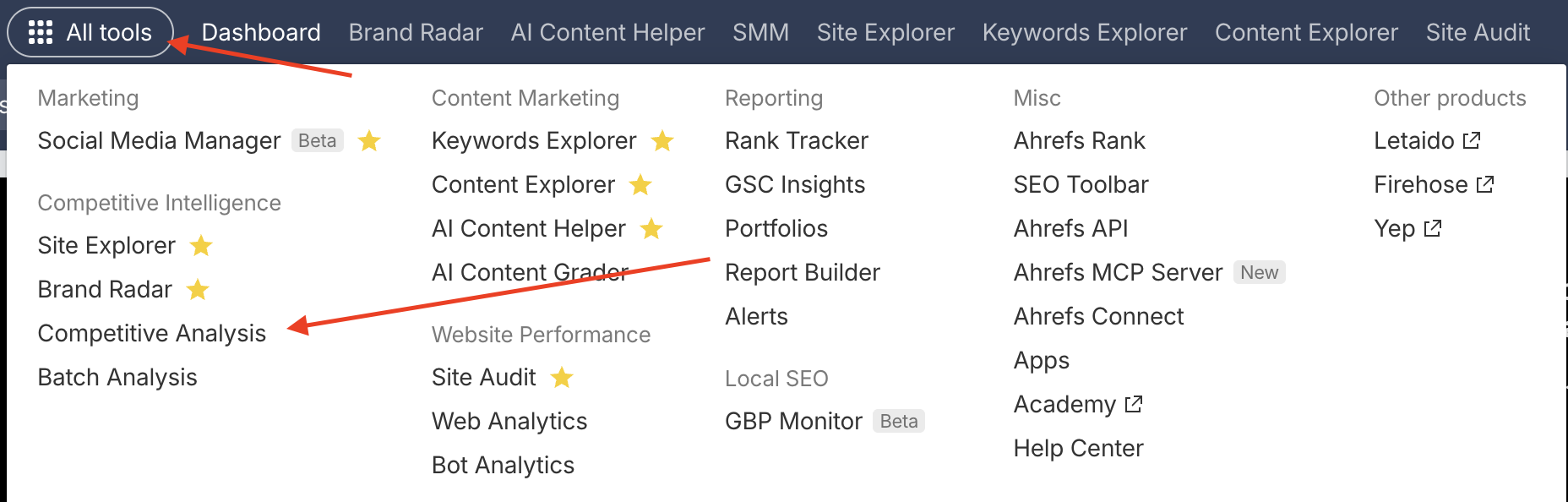
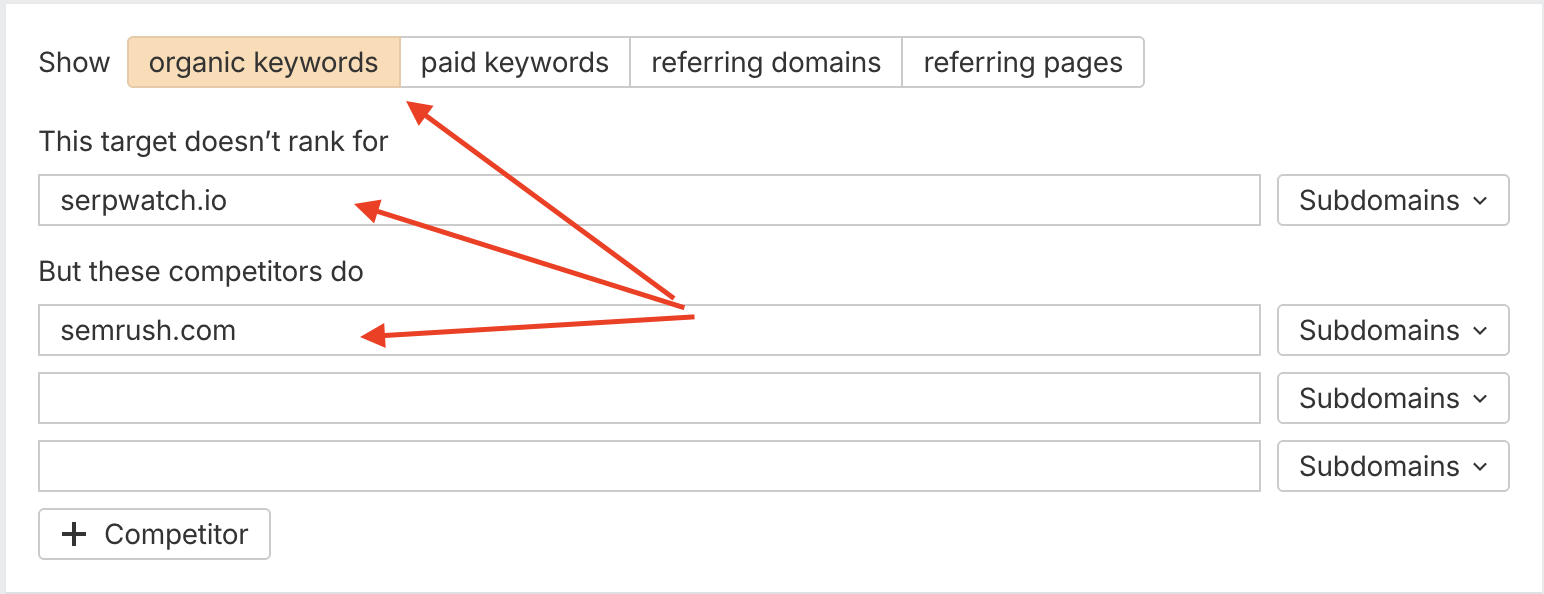
Here’s how to find those keywords using a content gap analysis in Ahrefs:
1. Choose Competitive Analysis from the All Tools menu in Ahrefs:
2. Enter the publisher’s site along with 1-2 of their competitors. Make sure to select Organic Keywords at the top:
3. Export the list:
From here, choose a topic that provides business value and the site has a real chance to rank for.
If you include this in your pitch, it drastically increases the chances your guest post will be accepted.
Promote Your Business Lightly
When writing guest posts, you don’t want to hard sell your business. Instead, lightly promote yourself contextually where it makes sense.
Remember, the best marketing doesn’t feel like marketing. I see a lot of our customers from our guest post marketplace try to promote too heavily directly from the introduction, like “we are the best guest post service”.
Don’t do that.
My advice? Provide tons of unique value that will help readers solve problems, and then mention your business in passing.
In this guest post we published, we added a link to PressWhizz in the middle of the article after providing a helpful bit of analysis:
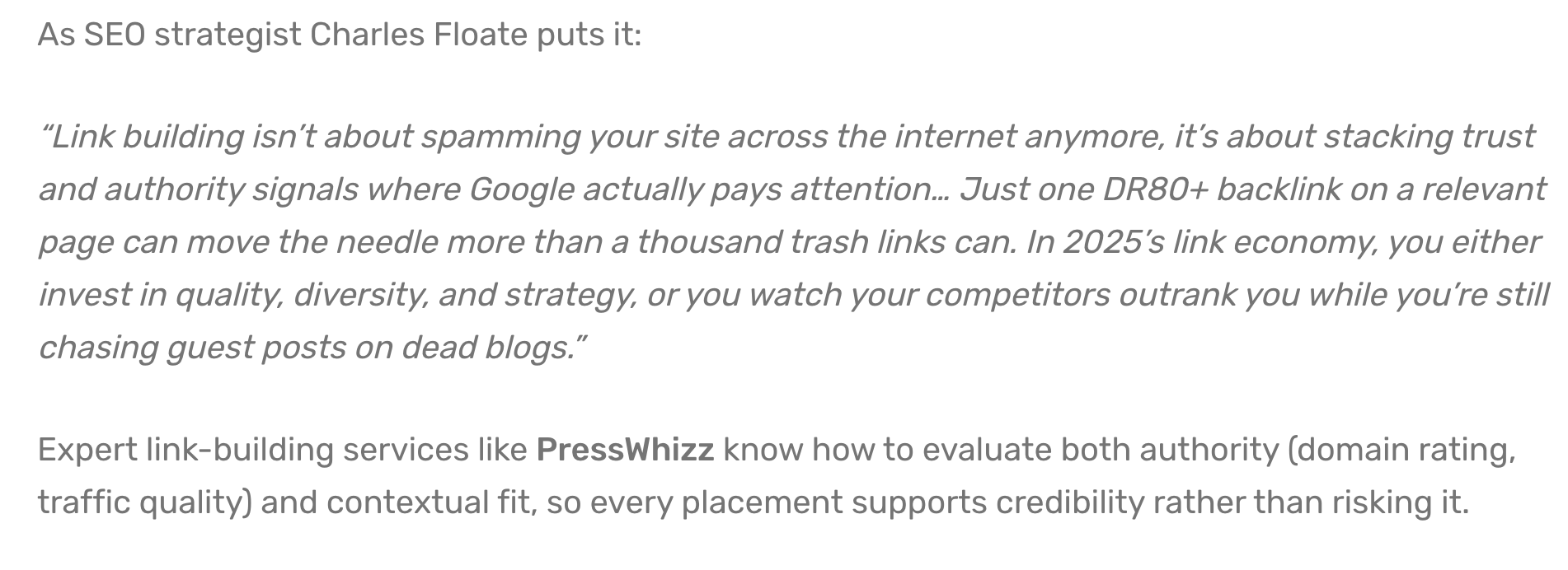
Pro Tip: Don’t come out guns blazing. Instead, provide value first, then link to your site in passing later on in the article. Speaking of linking to your website…
Link Back to Your Site
This seems obvious, but make sure to link back to your website when writing a guest blog. It’s also a good idea to do some internal linking to other posts on the publisher’s website, both for SEO and as a favor to the website (so their SEO team doesn’t have to do it).
The whole point of publishing a guest post is to get a link back to your site, isn’t it? You only have to do it once in the entire post, so don’t forget.
The most important thing for you to do here is to optimize your anchor text properly. I’ll cover that in the next section.
Pro Tip: Make sure to link back to either your home page or to an important page you wish to support. It could be a service page, important guide, or any other page you think is important.
Optimize Anchor Text
Anchor text is the clickable text in a hyperlink that’s normally blue (though it can be other colors), and it’s one of the most important factors that affect your search engine rankings.
First, let’s cover the different types of anchor text:
- Branded: This is when you use your brand name.
- Exact match: This is when the text you use matches the keyword you wish to rank for exactly. For example, “best link building services”.
- Partial match: Partial match anchor text is when your anchor nearly matches the keyword. Sticking with the example from before, this could be “high-quality link building services” or “best link building company”. Something like that.
- Generic: This is when you use non-descriptive anchors like “click here”.
You may also see naked URL anchors, like www.PressWhizz.com. It’s rare, but it happens.
Now, this next part is what you need to pay attention to.
Do not over-optimize your anchor text.
Beginner SEOs often aggressively use exact-match anchors in all of their guest posts. While it’s fine to do this sometimes, Google can and will penalize you for doing this. If you publish dozens of guest posts with the same “best link building services” anchor text, Google may see this as spam. Here is their warning against keyword stuffing in their Link Best Practices for Google article:
We also know from our testing and that of countless other SEOs that Google does back this up.
Here are our best practices for guest post anchor text optimization:
- Use a strong mix of exact-match and partial-match anchor text
- Use branded anchor text for your home page links often
- Use related terms to create a natural anchor text profile
Here’s a good example of PressWhizz using branded anchor text from the guest post example I used before:

Pro Tip: Use Ahrefs’ Backlinks tool to export the anchor text of your competitors and see what their anchor text ratios are. Base your anchor text profile on theirs.
Write a Strong Byline
A byline is the author bio or credit on a guest post. The byline is usually a two- or three- sentence bio in the third person with a link back to your site. Your byline is a good opportunity to link to your website as well, so make sure it’s optimized and presents your company in the best light.
A good byline names who you are and what you do, lists relevant credentials, and links to your site with a branded or natural anchor.
Lianna Patch’s byline on her Copyhackers guest posts is a great example:
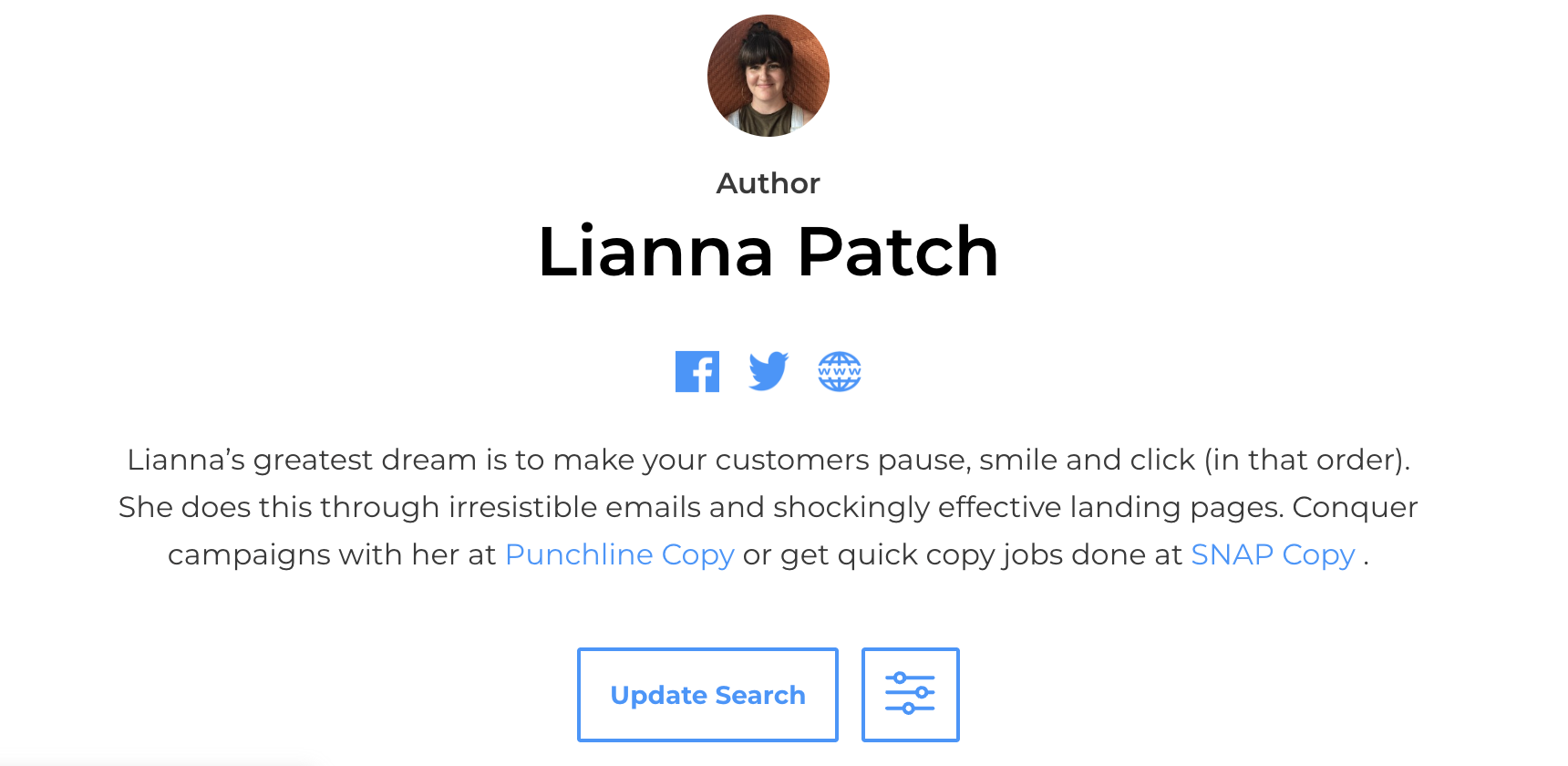
Notice how hers is full of personality and matches her brand perfectly? This isn’t the type of byline we would write for one of our posts, but we aren’t a copywriting company. The lesson here is that you should use your byline for branding. Write it in a tone that suits your business, and don’t use any of the tired “crafting this or that” corporate speak that people use in their LinkedIn bios.
Keep it simple. Write concisely, speak in the third person, and establish relevant expertise.
Related Reading: Read our guide on how to find guest post opportunities to land more high-quality guest post submissions. Or check out our guide on guest post outreach to learn our proprietary process for guest post pitches.
Send Images
Editors hate when customers don’t send images. It’s just more work for them to do. When you send the complete article, create at least one unique image or infographic, and send it along with your post.
We find that editorial teams usually provide their own images and make changes to articles before they go live, but anything you can do to make their lives easier will go a long way. It also helps you, too. The editorial team doesn’t know your brand as well as you do, so the images they create might not accurately reflect your branding.
Nothing groundbreaking here. Let’s move along to another SEO hack that could help improve your rankings…
Use Tiered Link Boosting
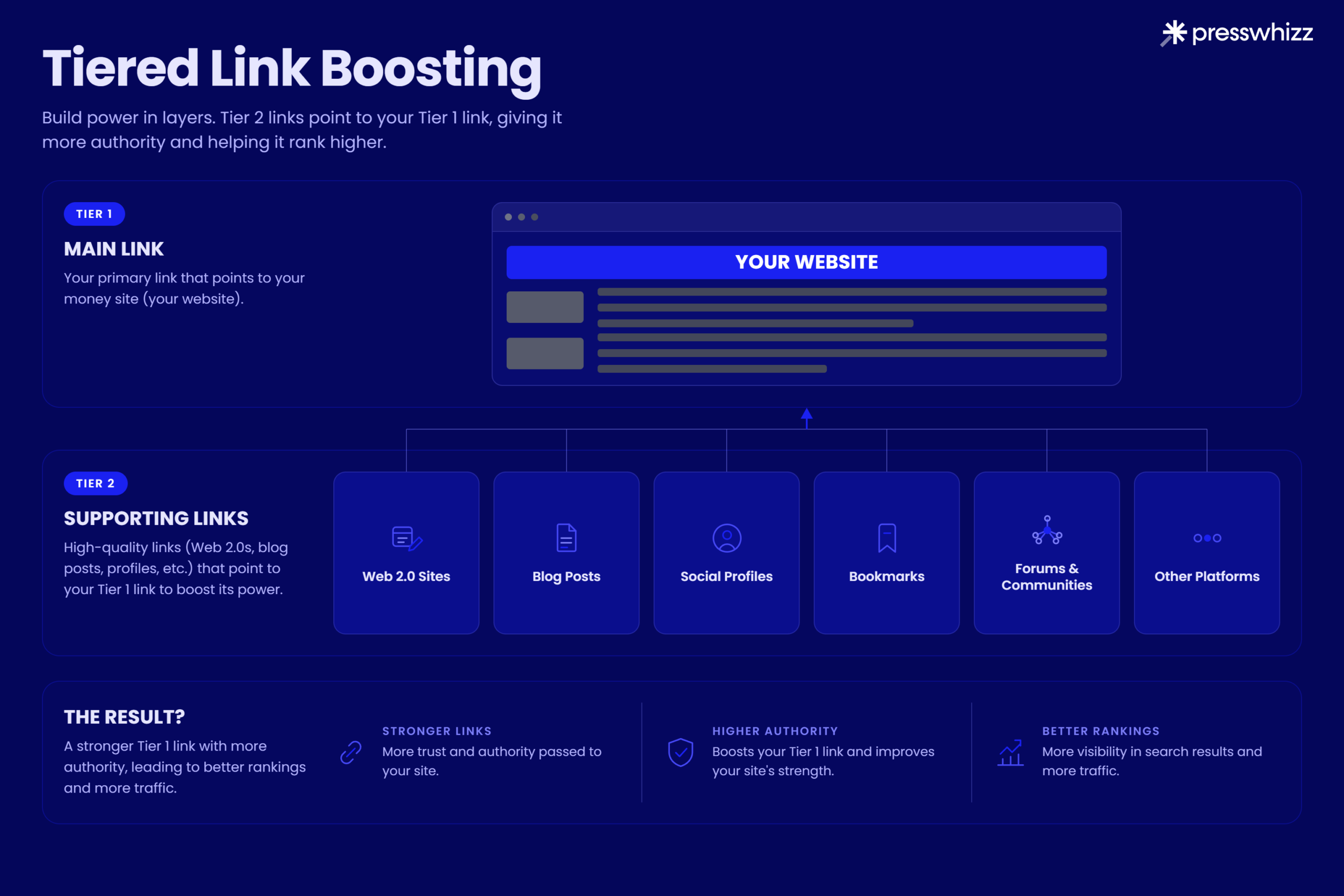
Tiered link building is the practice of pointing backlinks at your backlinks. Your guest post links to your money site, and then you build a second layer of links pointing at the guest post itself to “power up” the guest blog so it sends more link juice to your website. This is why SEOs call this “tiered link boosting”.
Tier one is the link that points directly at your money site. Say you built a digital PR backlink on a media website. That would be tier one.
Tier two is a set of lower-quality links, often Web 2.0 properties, free guest posting sites, blog comments, social bookmarks, or profile links, that point at the tier one guest post instead of at your money site. Some SEOs even add a tier three pointing at the tier two links (this is really next level!).
The lower tiers do the risky, spammy work, and your money site never touches them directly.
To understand why this helps, you need to know how links pass value.
A page accumulates authority from the links pointing at it, and it passes a share of that authority through its own outbound links. Google’s original PageRank model works this way: A page’s ranking power depends partly on the number and quality of pages linking to it. So, a link from a page with lots of strong backlinks passes more value than a link from a page with none.
The tiering also protects your site. The spammy tier two and tier three links never point at your money site, so if Google devalues or penalizes them, the damage stops at the guest post rather than reaching you. You get the ranking benefit of powering up the link without exposing your own domain to low-quality signals.
Related Reading: If you’re wondering how much guest posts cost, check out our guide on guest post pricing.
Final Thoughts
You now know how to write a guest post properly. I hope this helps you get your sponsored blog posts approved more often.
Writing guest posts really isn’t that hard. Follow the editorial guidelines, add value for readers, don’t promote yourself too much, and use the proper anchor text ratios for your niche (they are niche-dependent) so you don’t get slapped with a Google penalty.
And, if you have the budget, I highly recommend you boost your guest posts using the tiered linking strategy so you get even more organic SEO ranking benefits.
After building thousands of guest post links, we’ve found that SEOs who put more effort into their guest posts always win in the long run.
Add value, avoid AI slop, don’t promote yourself too heavily, and you’ll be fine.
Best of luck.
– Dusan Novakovic