

Looking for a complete guide on resource page link building that teaches you how to build high-quality links in plain English?
This guide to building resource page links is based on our link building team’s decades of combined experience in the search engine optimization industry.
It includes tips, screenshots, templates, examples, and step-by-step guidance on earning 100% Google-approved links from industry resources.
By the end, you’ll know:
- How to find high-probability link partners
- How to vet resource pages before building links
- How to find contact information
- How to personalize a pitch for increased conversions
- Which pages to avoid so you don’t waste money or hurt your SEO
What Is Resource Page Link Building?
Resource page link building is the process of getting your website added to curated pages that list useful resources, tools, guides, and references around a specific topic.
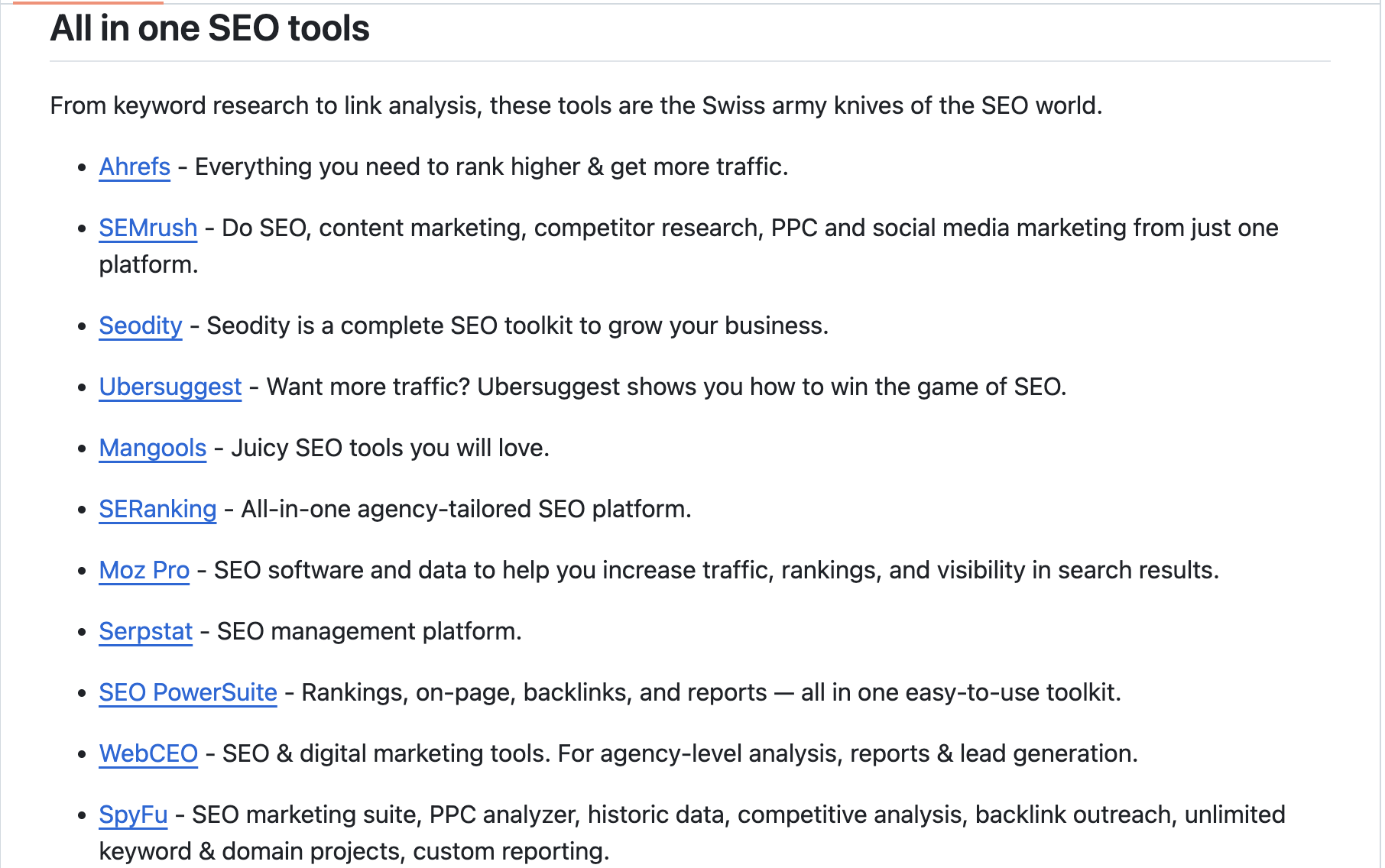
Here’s an example of a resource page from GitHub where they link out to popular SEO tools:
We think it’s easy to see why this is a high-ROI link building strategy.
SEOs love resource page link building because these pages are already built to link out to helpful sites, tools, guides, etc.
And yes, it still works.
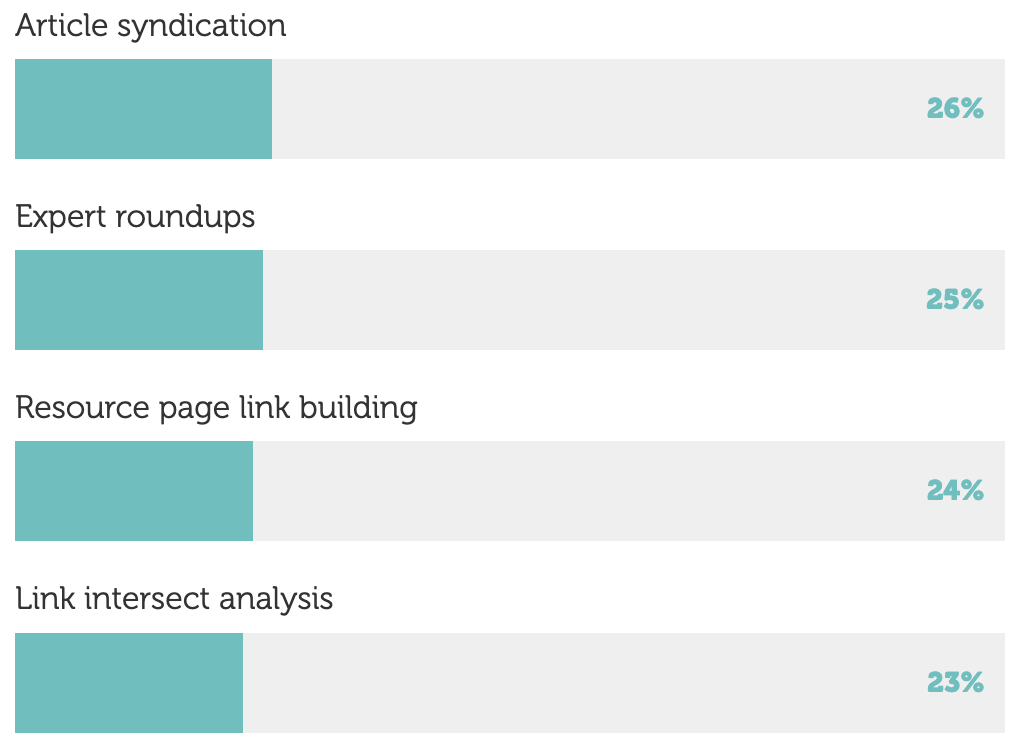
According to Aira.net’s State of Link Building Report, 24% of SEOs use resource page link building.
Before we get into how to do resource page link building properly, you need to know why it still works.
Why Resource Page Link Building Still Works
Resource page link building still works because backlinks are still a top Google ranking factor, and adding valuable links to a resource page helps keep the content fresh and valuable to readers.
So, it’s a win-win for both websites.
Think about it…
Resource pages are meant to help people find useful information on a particular topic. So, by adding fresh, high-quality resources, website owners improve their pages without having to create all that content themselves.
For example, here is a list of link building industry resources on IDX.inc:
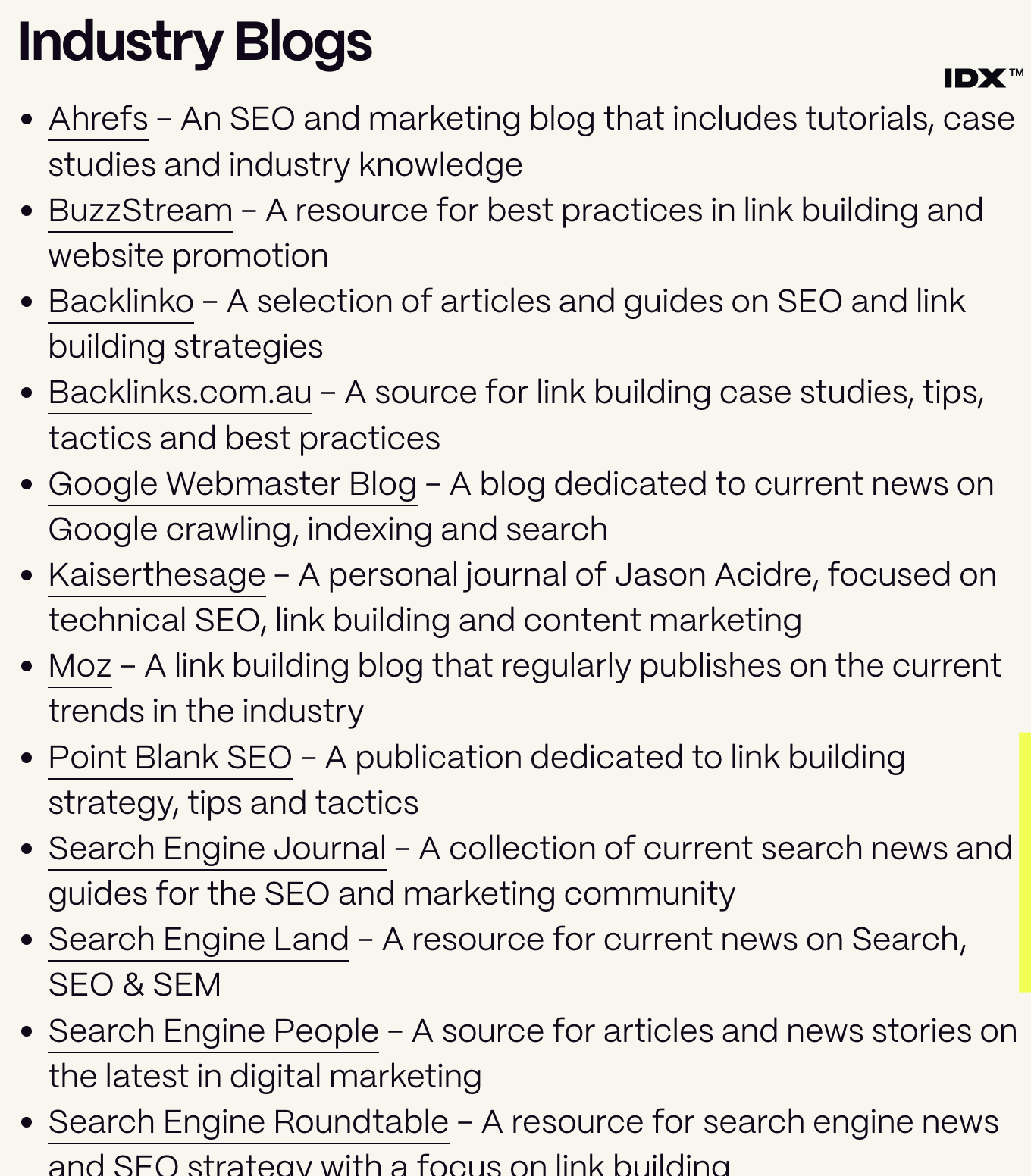
Getting our blog featured there would both improve the page and get us a high-quality backlink (…sending the email now…).
So, to sum up why resource page link building is still a high-ROI link building tactic:
- Links are still important for SEO, and building links on authoritative websites improves your SEO
- Website owners need to keep their resources up-to-date and helpful
- Adding a link to your site accomplishes that goal and builds you a link, so both sides benefit.
In order to truly understand the value of resource page linking, you need to understand a bit more about the link building industry. Everyone builds links. Most people buy backlinks. But unlike guest posting or niche edits, resource page link building helps the host site as much as it helps you (if not more). That’s why it’s so valuable for SEOs.
OK, now you know what resource page link building is and why it’s such a valuable SEO strategy. It’s time to get into how to do it properly.
Further Reading: Yes, resource linking is a white-hat link building tactic. Google has nothing against it!
How to Build Resource Page Backlinks
The best way to build resource page backlinks is by executing the following process:
- Find your resource page link targets by searching Google or link building tools
- Vet the pages for quality
- Prepare your pitch
- Contact the site owner or person responsible for the page
- Personalize your email
Don’t worry, we’ll break that entire process down for you here in the following section along with screenshots, tips, and an email template. This is how we would execute this task in our own link building campaigns.
Note: You must have high-quality resources to link to if you want to build links. You could link to your blog or home page (like that industry blogs resource we showed above), but websites often want tools, guides, or other linkable assets to link to. We’ll cover that in this section as well.
Target The Right Types of Pages
Start by targeting the best types of resources, such as mini resource pages and best of lists. You don’t want to blindly target any ole’ resource page.
Here are the best types of pages to target along with some examples to guide you…
Best-Of Pages
These pages feature the best tools, guides, websites, or resources around a particular topic.
The two examples we showed above were best of lists. They’re great opportunities if your content fits the list and offers something useful to readers.
Mini Resource Pages
Mini resource pages are dedicated sections within a larger guide that show helpful resources for readers. So, the guide itself might not be a resource page, but there’s a section where you could potentially insert your link.
Here’s an example of a mini resource page on AI tools within a larger guide on AI for small businesses published by the US Chamber of Commerce:
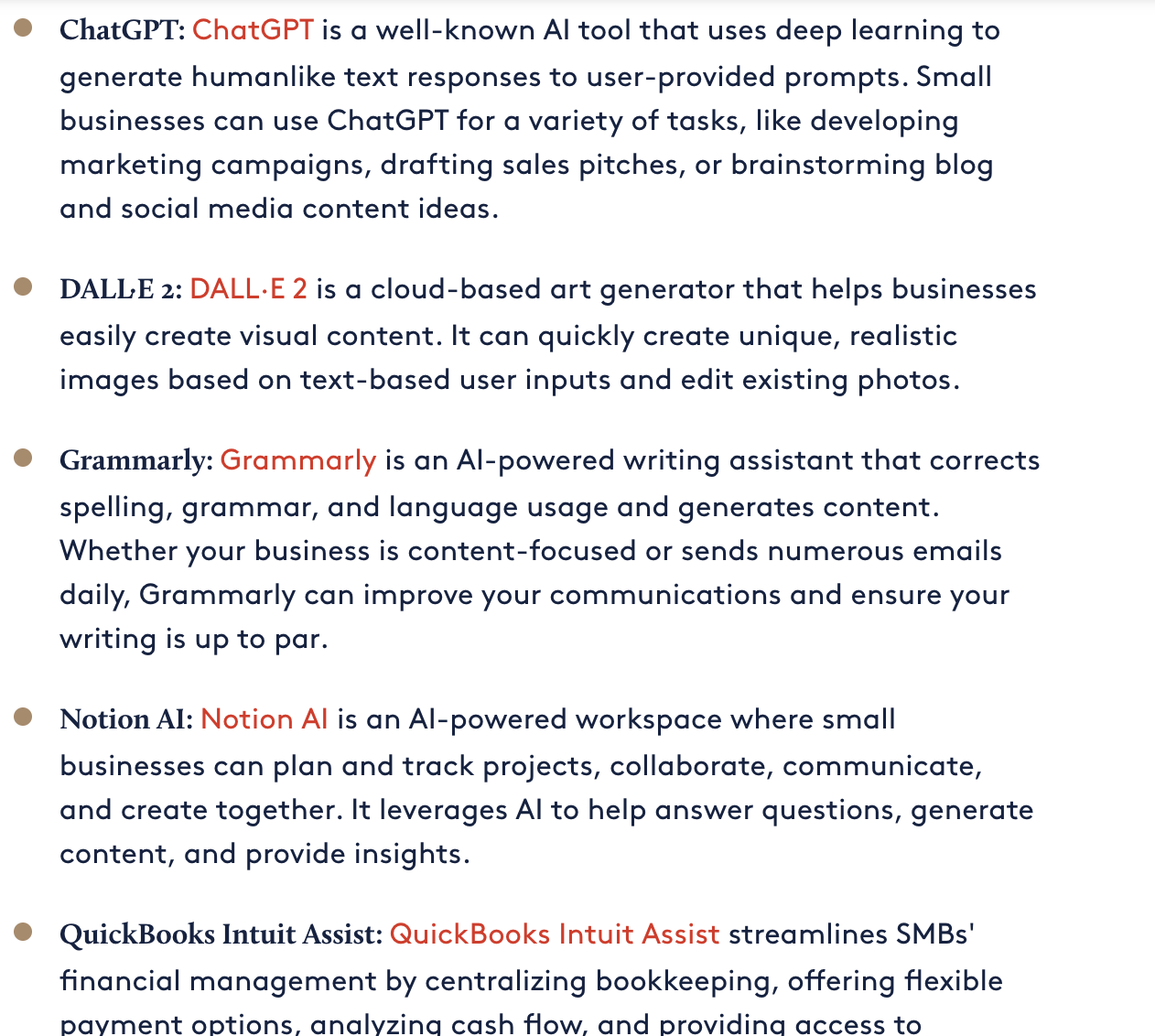
Imagine getting a high-DR .gov link just by getting your resource listed!
Further Reading
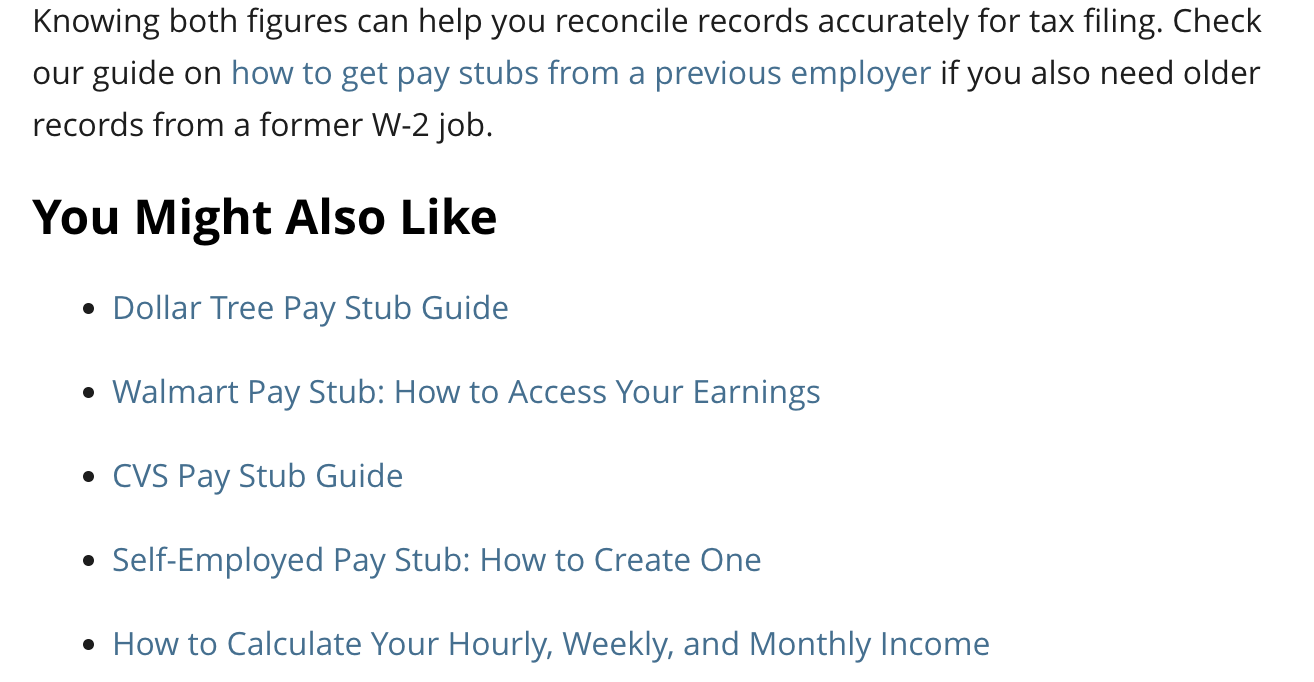
Many blogs include a further reading section that links to articles covering related topics in more detail. These are good opportunities to pitch relevant guides that expand on what the reader just learned.
Here’s a site offering pay stub services that includes more resources under a “you might also like” section:
Roundups and Listicles
Roundups or listicles are blog posts that list tools, expert insights, or resources around a specific topic.
You’ve probably seen those “top 10 x” articles on just about every site on the web.
They’re especially useful for earning links when you have original research, detailed guides, or unique insights worth sharing.
Here’s another AI industry example from an educational institution, JohnJermain.org:
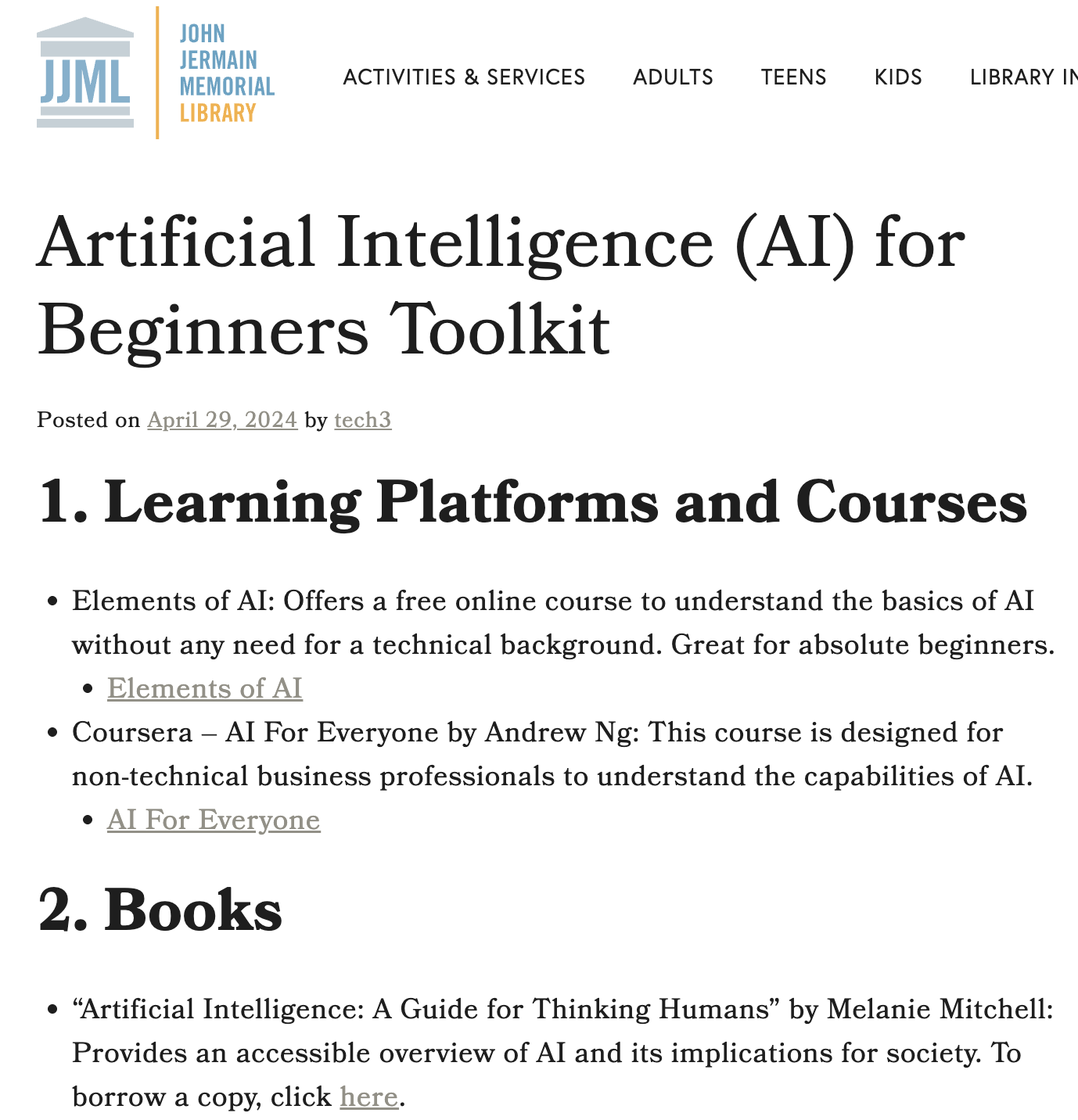
If you have a good AI resource, you could get a .edu backlink for free.
Find Resource Page Link Targets
Now it’s time to find resource page link targets using our favorite methods: Google search operators and Ahrefs competitive analysis to reverse engineer competitors.
Use Google Search Operators
Google search operators are one of the fastest ways to find pages that already exist to curate and recommend useful links. You just add them into Google search, like this:

The best Google Search operators are as follows:
intitle:resources "your keyword"inurl:resources "your keyword""your keyword" "useful links""your keyword" "recommended resources""your keyword" "helpful resources""your keyword" "further reading"site:.edu "your keyword" resourcessite:.org "your keyword" resources
For example, intitle:resources “link building” tells Google to return pages with “resources” in the title that also mention link building. You can swap out “link building” for whatever topic, industry, or asset you’re trying to promote.
Reverse Engineer Competitors With Ahrefs Link Intersect
You can also find strong resource-page opportunities by looking at the websites already linking to your competitors. You can use tools like Ahrefs or Semrush. We prefer Ahrefs for link building research and keyword research, but the final decision is yours.
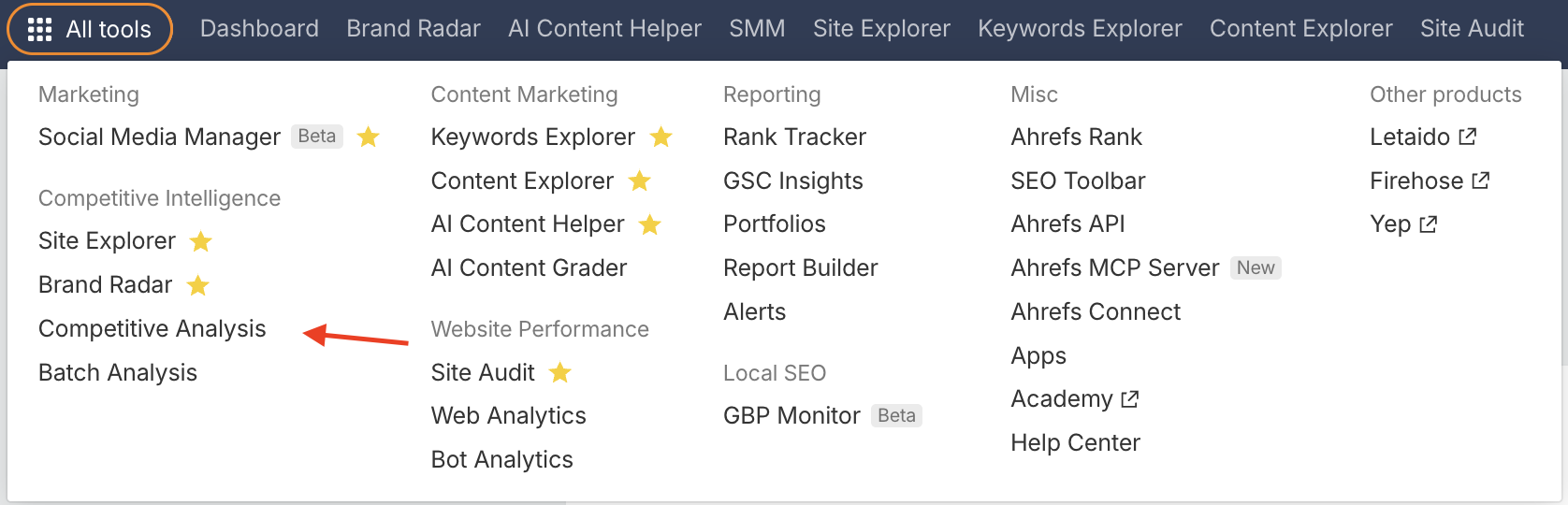
Click All Tools in the top left corner of Ahrefs and choose Competitive Analysis from the menu:
Then choose Referring Pages, add your domain, and then multiple competitor domains:
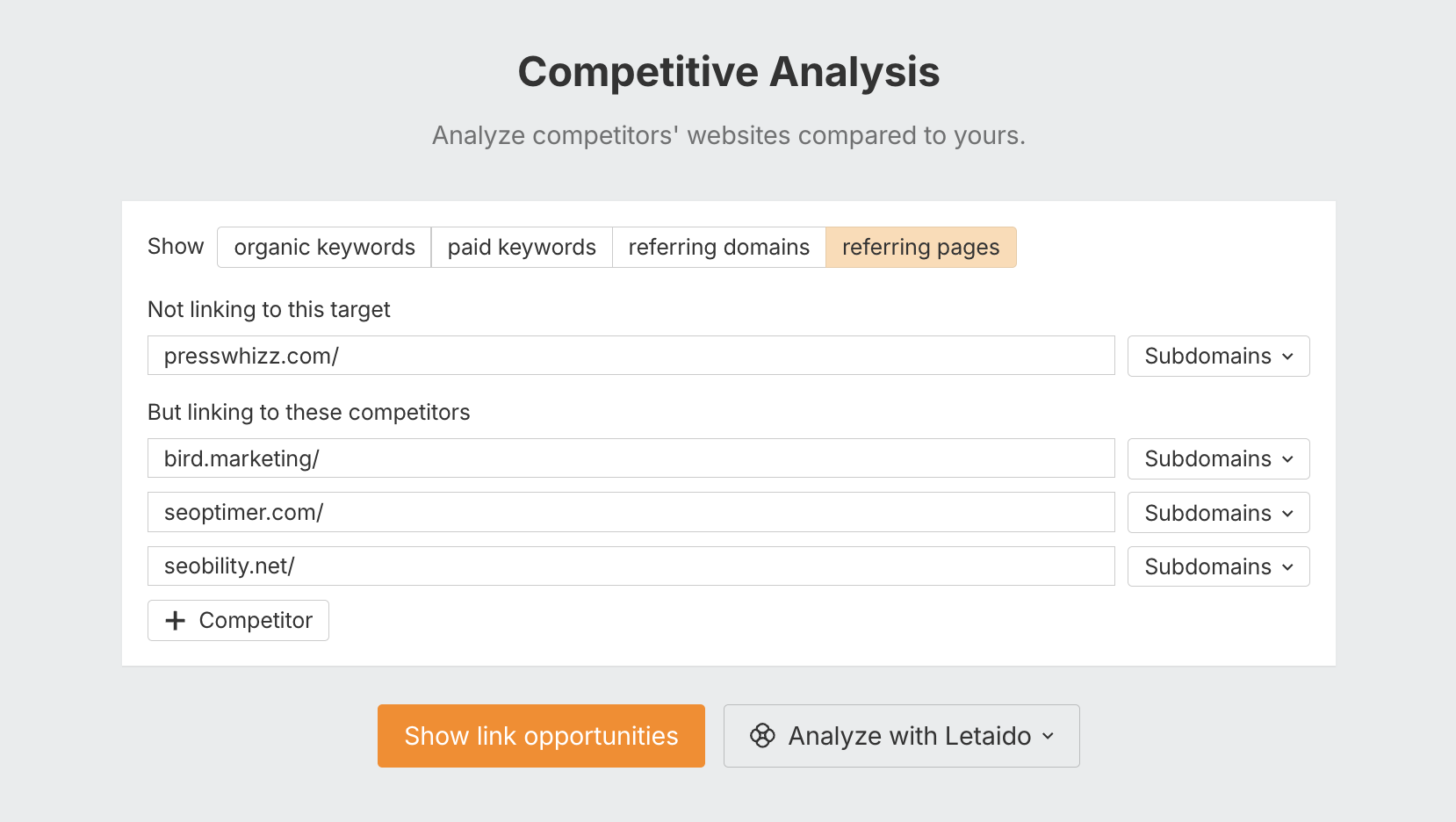
Now, you want to look for pages that link to multiple competitors but not to you.
Export the report as a CSV and put it into AI and ask it to find high-quality resource pages that link to multiple competitors but not to you. Those are your best targets.
Further Resources
You can use the following tools to speed up your search and find more resource page opportunities:
- Ahrefs SEO Toolbar: The toolbar lets you check SEO metrics directly in the search results and export SERPs for a deeper review later.
- Google Search Preferences: Increase the number of results shown per page when you want to review more prospects without constantly moving through additional result pages.
- ScrapeBox: If you need to collect resource-page prospects at scale, ScrapeBox can automate large batches of Google footprint searches.
- Citation Labs Link Prospector: This tool is built specifically for link prospecting and can uncover resource pages, directories, and other outreach opportunities across a niche.
- AI Tools: ChatGPT, Claude, and similar tools can help generate new search footprints, clean prospect lists, classify pages, and remove obviously irrelevant opportunities before outreach begins.
Further Reading: If you’re interested in reverse engineering competitors, check out our guide on competitor link analysis.
Look for Broken Links
Broken link building is another great way to earn backlinks from resource pages. These “404 page not found” links point to pages that no longer exist, usually returning a 404 error.
Broken links occur when websites delete content, change URLs, or shut down entirely (which happens all the time in SEO).
By the way, adding them into your email pitch could easily 5x your conversion rates. Site owners want them fixed ASAP, and they’ll appreciate you pointing it out.
So, how do you find broken links?
You guessed it, Ahrefs!
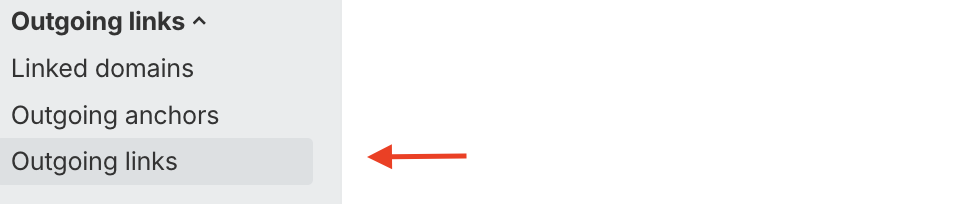
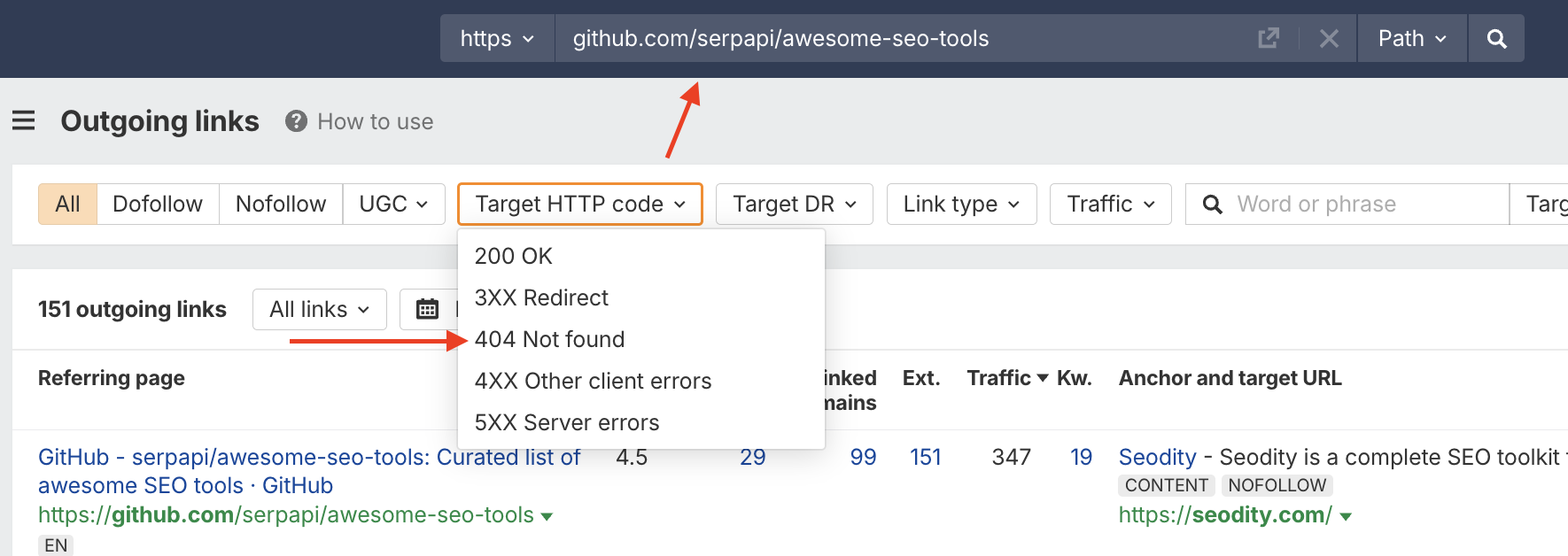
Enter the resource page URL into Site Explorer, then click Outgoing links:
In the next screen, filter for broken links by clicking the 404 Not Found filter within the Target HTTP Code dropdown menu:
Focus on High-Probability Pages
Not every resource page is worth contacting. Prioritize pages where your asset is an obvious fit, the page is actively maintained, and the site already links out to similar resources.
At the same time, avoid link farms or low-quality PBNs with low-effort AI content.
A page packed with hundreds of unrelated outbound links, thin content, no organic traffic, or random categories is usually not worth the effort.
Your goal should be to find pages where your link makes sense editorially and has a realistic chance of being added.
Vet The Pages Before Building Links
Before you contact anyone, you need to vet each prospective page properly. You don’t want to waste time on dead ends or add your links to pages with no SEO value.
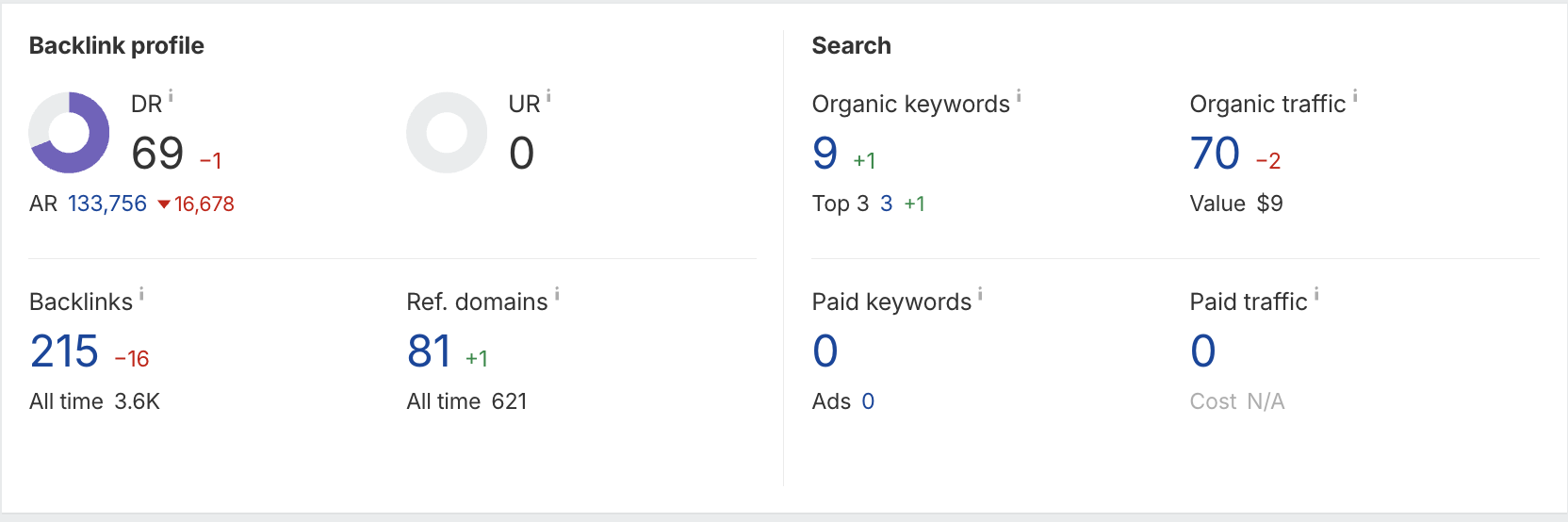
The main things to look at are Domain Rating (DR), organic traffic, organic keywords, and topical relevance. Let’s cover those quickly in case you are unfamiliar:
-
- Domain Rating: Think of DR as a quick measure of how strong the site’s backlink profile is overall. It’s a third-party metric. NOT a Google ranking factor.
- Organic Traffic: It’s better to add links to websites or individual pages that already have search traffic.
- Organic Keywords: Check how many keywords the site ranks for and whether those rankings are spread across relevant topics. A site that already ranks for relevant keywords is a great link target.
- Referring Domains: Pages that have links from other websites online will pass more “link juice” to your website.
- Relevance: Even a strong domain is less useful if the site has little connection to your niche or the resource you’re promoting. This isn’t a metric, so to speak, but you can check at a glance by looking at the domain in most cases.
Here’s a good example of a high-value link target with a high Domain Rating, traffic, keywords, and a strong backlink profile:
There are two ways to vet prospects: A) manually, one by one, or B) in bulk. Let’s cover them both now.
A) Manual Check
For a manual check, put the prospective page or domain into Ahrefs and work through the main quality signals that I just showed you.
Drop the page URL into Ahrefs Site Explorer, select Exact URL, then click the orange button:
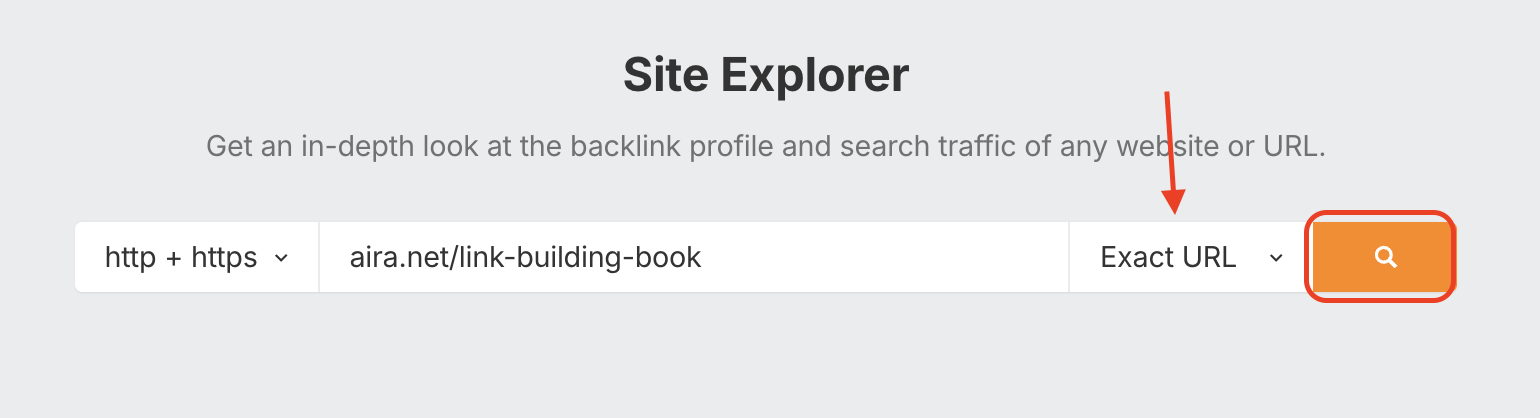
You’ll see all the metrics you need right on the screen.
Manual vetting takes more time, but it gives you much better context around each prospect.
B) Bulk Check (Batch Analysis)
Bulk vetting follows the same logic, but instead of checking every domain individually, you upload your full prospect list into a bulk analysis tool and pull the metrics in one go.
Here’s what to do…
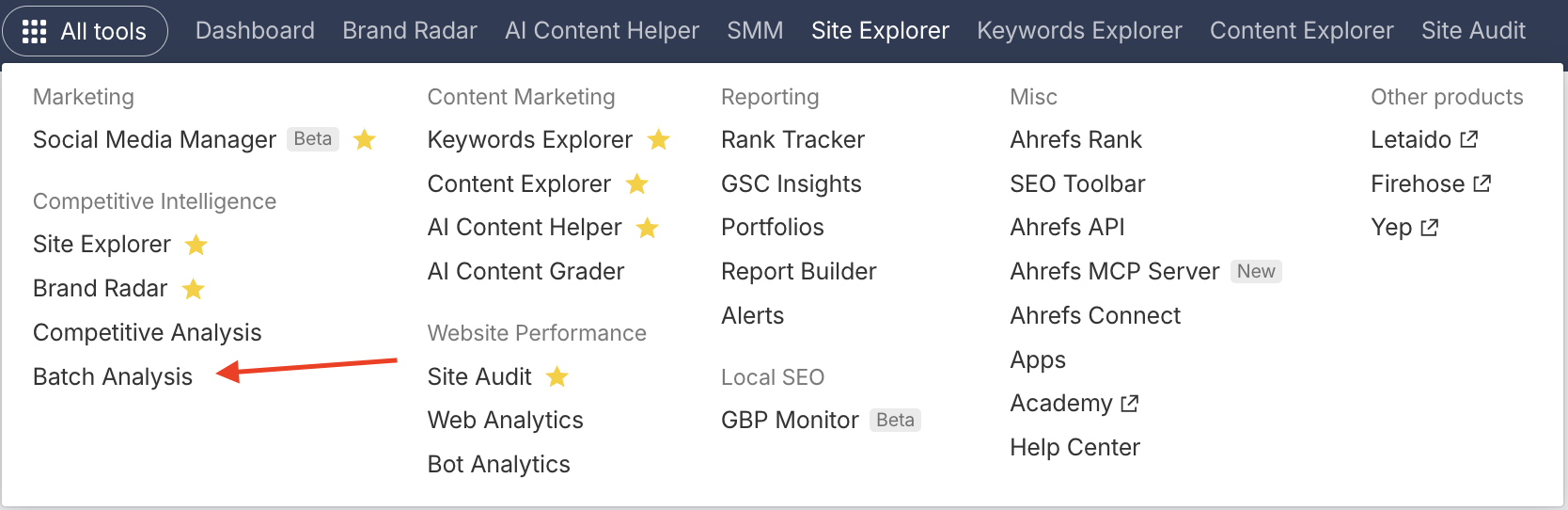
In the top left corner, click All Tools, then select Batch Analysis from the menu.
Next, enter your URLs into the box by copy/pasting or uploading a CSV.
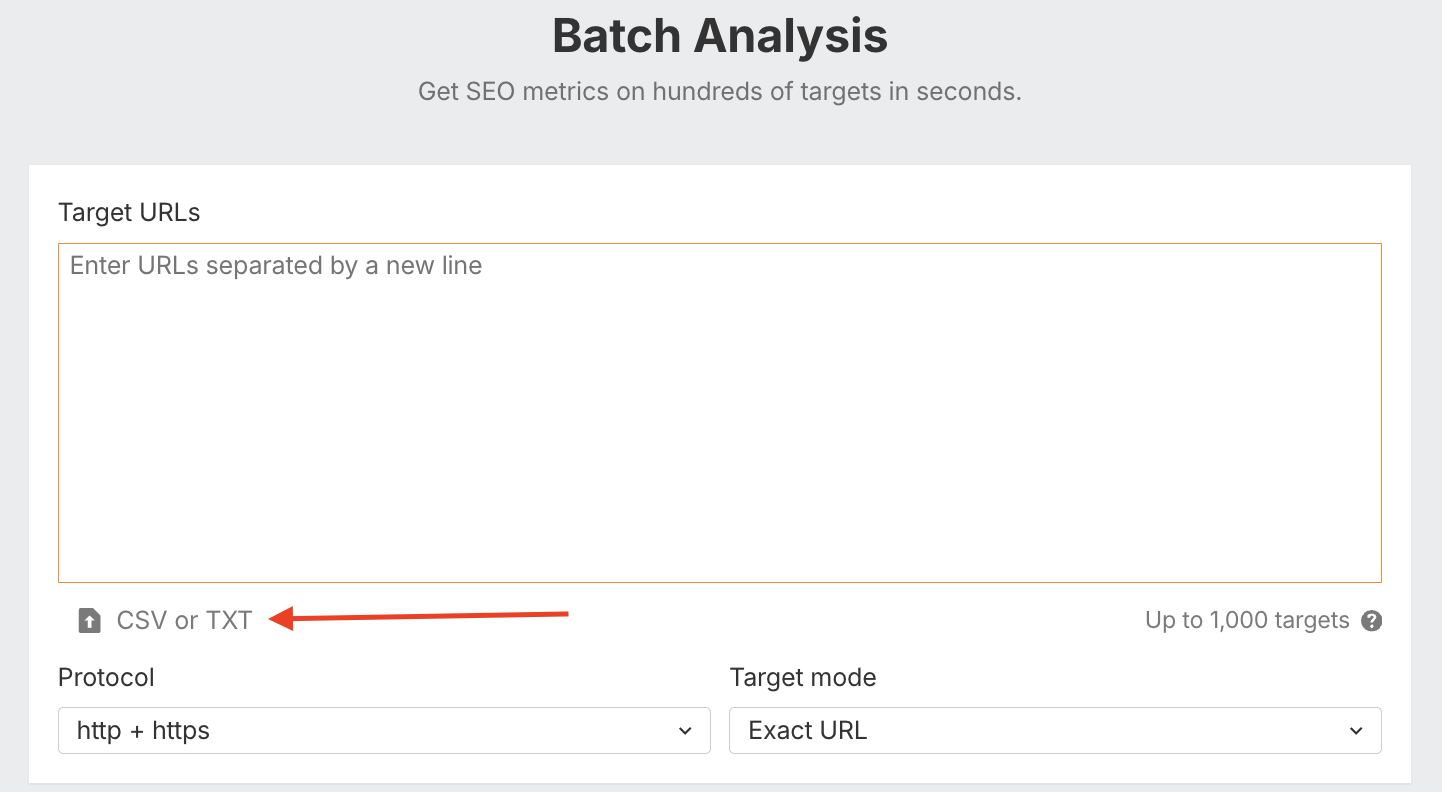
From there, you can filter by DR, traffic, and keyword visibility, remove obvious weak sites, and focus your manual review on the better prospects.
My advice? Take a quick glance for DR, traffic, and keywords:
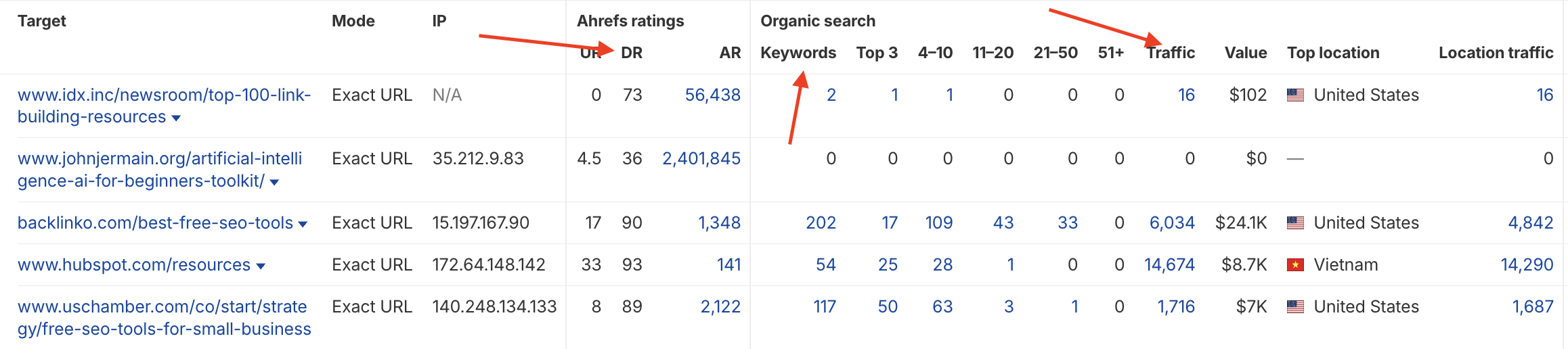
Once you have that shortlist, inspect the pages yourself. You want to confirm that the page actually links to external resources, that those links are contextually relevant, and that the site does not look like a link farm stuffed with random outbound links.
Further Reading: Check out our guide on Domain Rating vs. Domain Authority to learn more about these metrics.
Identify or Build Linkable Assets for the Resource Page
A linkable asset is a piece of content created to give other websites a reason to link to you. Instead of asking someone to link to a generic service page or homepage, you give them something useful that improves their own page.
Common examples of linkable assets include:
- Original research
- Statistics pages
- Tools and calculators
- Templates and checklists
- Ultimate guides
- Infographics
- Industry reports
Our page on link building statistics is an example of a linkable asset (also referred to as link bait):
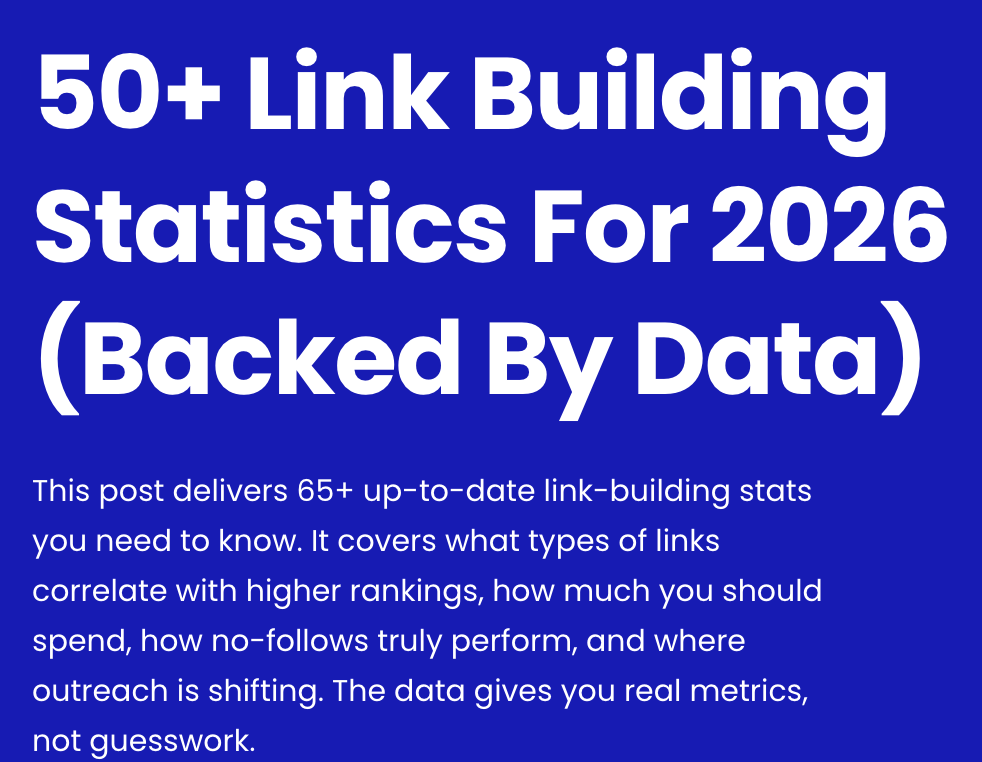
The important part is making sure the asset actually fits the page you want the link from. A statistics page might make sense for an article citing industry data, but a checklist or tool could be a better fit for a resource page.
We recommend building the resources as opportunities arise. For example, if you see a good resource page for “local SEO resources”, then you could create a guide on local SEO or even a tool. If not, identify the pages you want links from first, match them to the best existing asset you already have, and tailor your outreach around that.
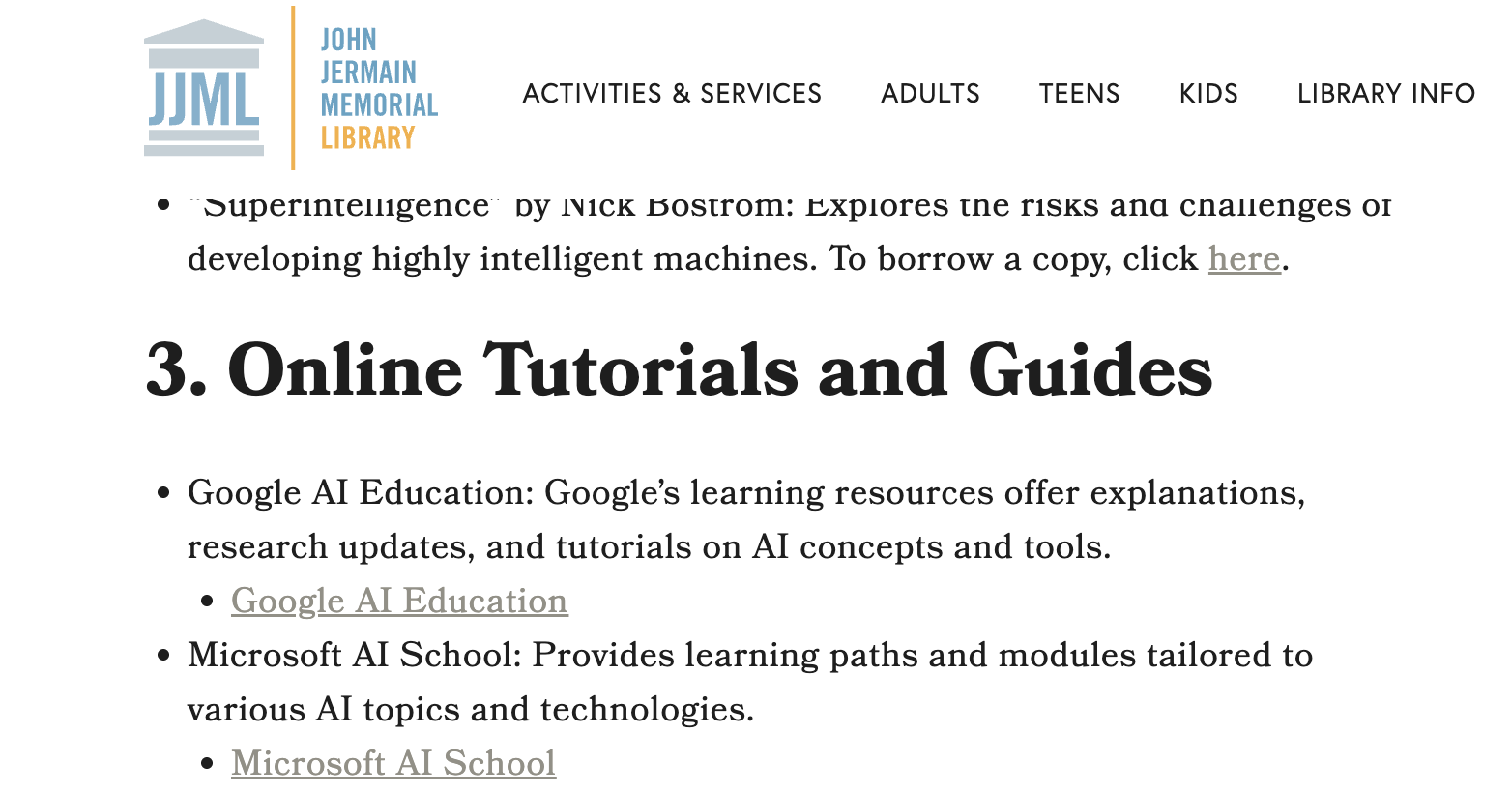
Another example for this AI guide from the John Jermain Library could be a guide to AI for SEO. That would fit nicely into their online tutorials section:
Find the Website’s Contact Information
OK, next you need to find who is responsible for maintaining that piece of content. In our experience, it’s more often a content or marketing manager than a site owner, but it depends on the size of the website.
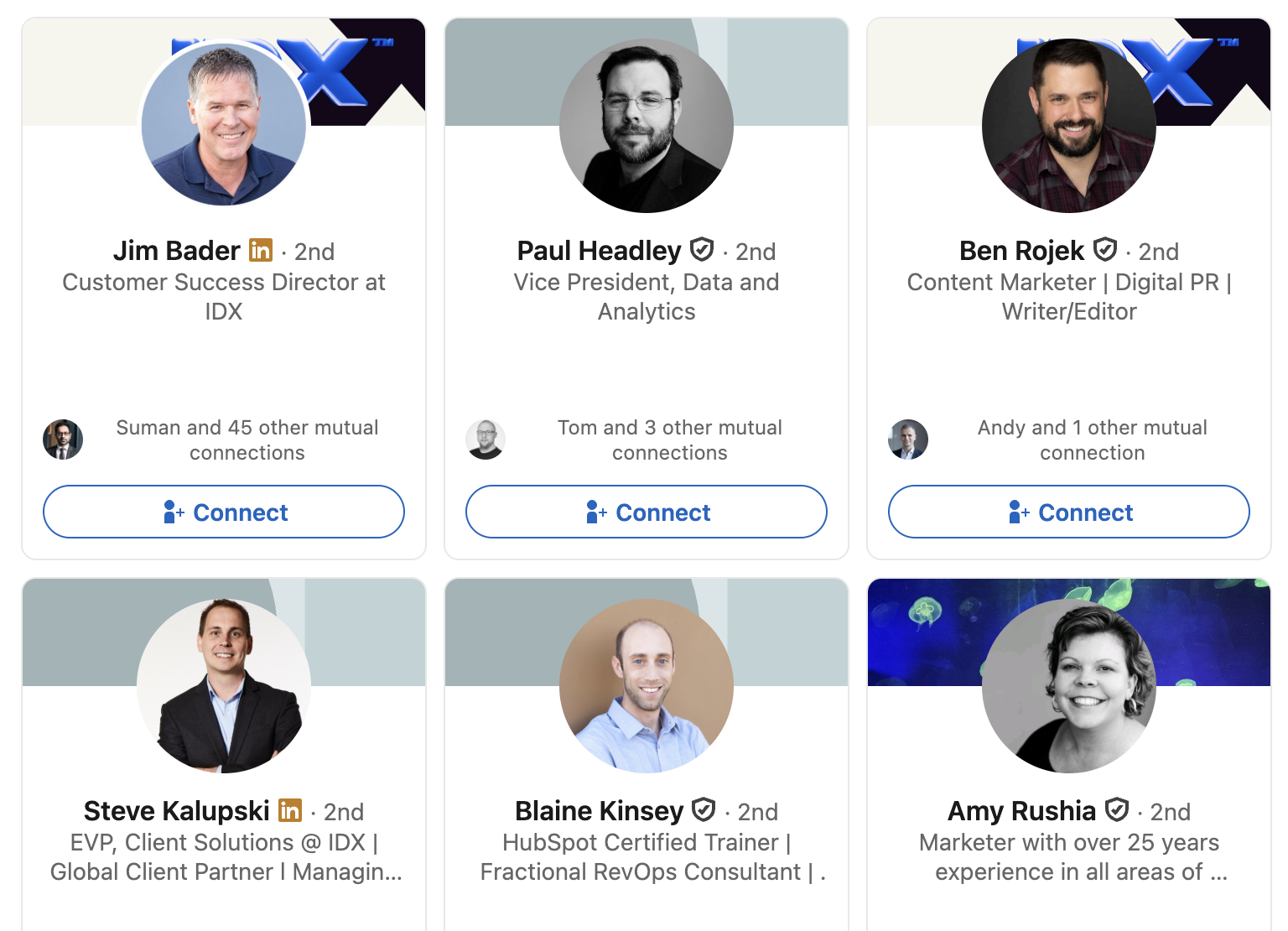
We recommend looking for a contact page, author bio, editorial page, or staff directory. If that does not give you a useful email address, check LinkedIn or other social profiles to find the person responsible for content, partnerships, or the specific section you want to be added to.
For a company the size of IDX (the link building resource page example from earlier), just go to their contact page and their LinkedIn profile. Once you find them, look at who works there and their job titles:
You can also use tools like Hunter.io to find or verify email addresses connected to a domain. Don’t worry about making them angry by contacting them. You have nothing to lose here.
Pro Tip: Another good tactic is to look at the author of the page you are targeting, then search their name alongside the company name. In general, a direct email to the right person will outperform sending the same pitch to a generic inbox like info@ or contact@.
Pitch Your Resource to Site Owners
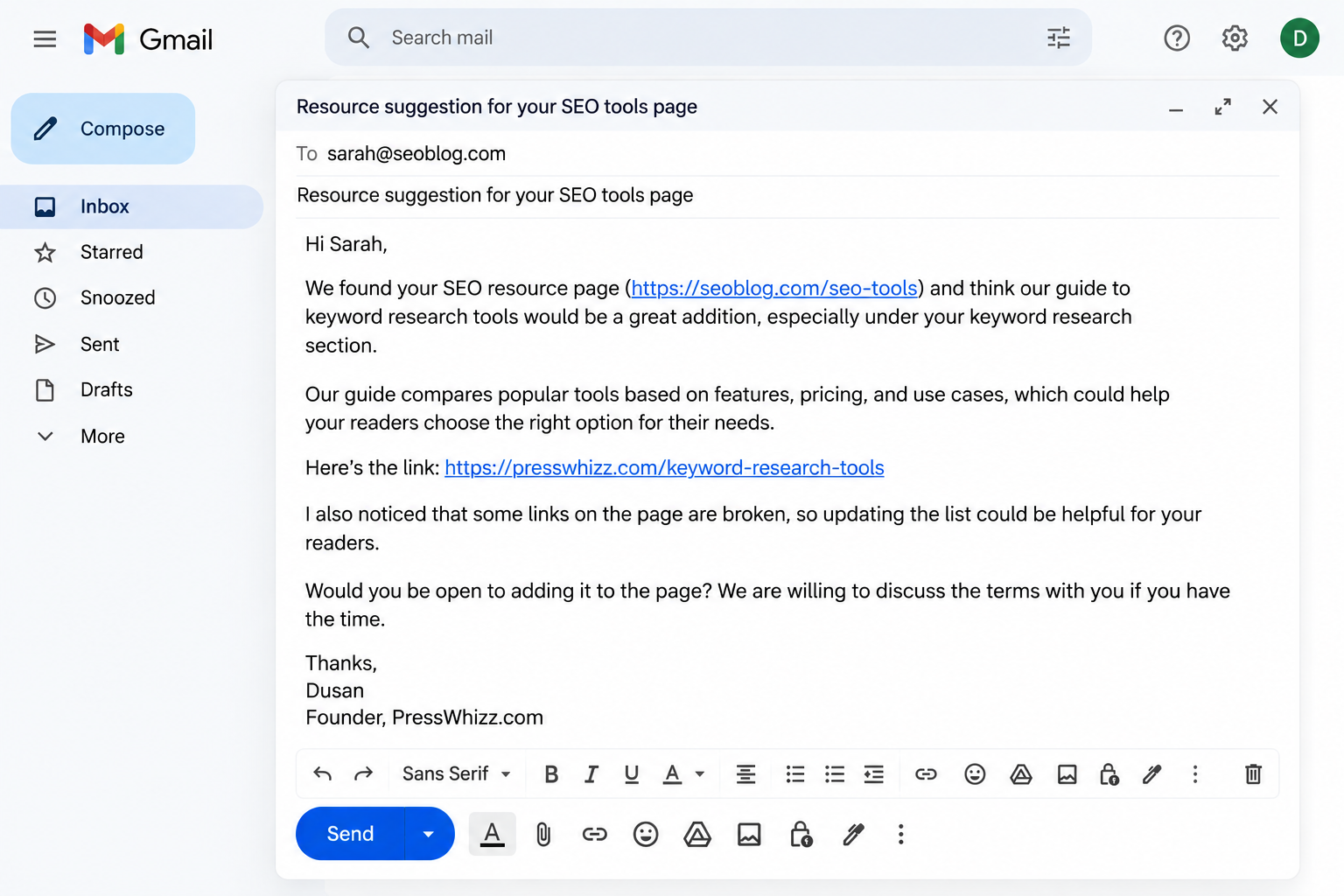
Once you’ve found relevant pages, reach out to the website owner and ask them to include your link. Keep your pitch short, personal, and focused on why your resource would be a useful addition to their page.
Here’s what to include in the email:
- Email the person who manages the page and mention their name
- Point out where the link will go
- Explain why it belongs there
Here’s a simple five-step structure you can follow for your outreach emails:
- Introduce yourself and briefly mention your website.
- Explain why you’re reaching out and reference their resource page.
- Introduce your resource and share a direct link to it.
- Explain why it’s worth adding and suggest exactly where it would fit.
- Close with a friendly request asking them to consider including your resource.
Personalize Your Email
Take our advice here: The more you personalize your email, the better your conversion rates will be. Period.
This is a proven fact. An extensive study conducted by Experian found that email personalization increases unique open rates by 29% and unique click rates by 41%.
Please skip the “I just happened to find your resource page while eating breakfast” BS. Nobody falls for that anymore.
Be direct and personable.
Resource Page Link Building Email Template
Feel free to use these templates to help improve your pitch conversion rates. We like to personalize our emails, but when doing link building at scale, we usually start from a template and personalize after.
Template #1: Generic Email
Hi [First Name],
We found your resource page on [Topic] ([Resource Page URL]) and think our [guide/tool/resource] would be a great addition, especially under your [Specific Section] section.
Our resource covers [Brief Description] and includes [Unique Value or Benefit], which we think would be useful to your readers.
Here’s the link: [Your Resource URL]
Would you be open to adding it to the page? We’re happy to discuss the terms with you if you have the time.
Thanks,
[Your Name]
[Your Website]
Template #2: Broken Link Email
Hi [First Name],
We came across your resource page on [Topic] ([Resource Page URL]) and noticed that one of your links under [Specific Section] is broken.
Here’s the broken link: [Broken URL]
We actually have a resource covering a similar topic that could make a good replacement. It covers [Brief Description] and includes [Unique Value or Benefit] that your readers might find helpful.
Here’s our resource: [Your Resource URL]
Would you be open to replacing the broken link with ours? We’re happy to discuss the terms with you if you have the time.
Thanks,
[Your Name]
[Your Website]
Final Thoughts
Resource page link building is one of the simplest and most effective link building tactics in the SEO industry for a few reasons:
- It has a very high conversion rate due to the targeted outreach and nature of resource pages
- It’s simple to find prospective link partners
- Adding your link helps the host page as much as it helps you
If you do it right, you can easily build multiple editorial links from relevant websites 100% for free. Some of those links could cost $500-$1,000 or more if you bought them from an agency or link building marketplace.
Now, just because it’s simple doesn’t mean it’s easy. But if you follow the advice we’ve given you in this guide, you’ll earn SEO backlinks that boost your search engine rankings more easily than with other link building tactics.
The main takeaway you should get from this article is that as long as you target the right pages and personalize your outreach, you should be able to acquire links from industry sources.
And remember, if it’s too much work, you can always outsource link building to a link building agency with dedicated teams of SEO professionals.
As always, I wish you luck.
– Dusan Novakovic