So, you’ve just started a new website and have no clue what your link building strategy is going to be…
Welcome to the club!
I get this type of question at least once a week from my social following, newsletter subscribers, or in person:
Charles, I’m just starting a new website. What type of link building strategy should I use? And is the Google Sandbox real? What would you do in my shoes?
I’ve got some good news and some bad news.
Good news first because I’m some weird mix of jaded black hat SEO and eternal optimist at heart. The good news is that there are tons of high quality, impactful links you can build for your new site that are 100% free, and after that, I typically get quick wins for new client sites in a month or so without spending too much money.
The bad news is, a lot of the traditional link building advice won’t work for you (yet), and you’re probably at least a few months away from competing with more established sites.
Some more bad news…
Google’s obsession with authority and “real brand” signals has never been stronger, and the game has never been more rigged against beginners.
But, and it’s a big BUT, new sites still absolutely can win…if you’re strategic, aggressive, and know exactly where to deploy your time, money, and resources.
So, today, I’m going to give you the link building blueprint for new websites I use (and my clients use) to get new sites ranking in brutally competitive SEO niches, even when you’re starting from zero.
What you’re about to read is simple, actionable, and based on my real SEO experience.
It will piss off white hats, terrify armchair SEOs, and, if you execute properly, put you years ahead of anyone relying on “create good content and wait.” I’ll share how new website link acquisition is different from traditional methods, my top strategies for acquiring links, and a quick plan you can follow.
How is Link Building for a New Site Different Than an Established One?
Link building for a new site is different from an established one because, with a new site, you need to focus on building foundational trust and slow, natural looking growth. With an established site, you already have brand trust and some natural links, so you can focus on acquiring links aggressively and overtaking competitors.
Google knows how quickly the average site acquires new links and from where. If you start a new site and instantly acquire dozens or hundreds of links, Google flags that as suspicious. You also have the Google “sandbox” issue, a probationary period where Google suppresses your website as it evaluates your credibility (more on this later).
To sum this up, I’d say the biggest difference between link building for a new site vs. an established one is: Successful link building strategies for new websites require trust building links from natural sources (PR, social media, directories, etc.) whereas “old websites” have the credibility to do what they want…within reason.
The #1 New Website Link Building Mistake
The biggest mistake I see SEOs make when building links to a brand new site is trying to build too many links too quickly (and from the wrong places). SEOs get greedy and impatient, so they start spraying and praying, hoping dozens of high authority links will instantly push them to Page 1. Sorry, but that rarely happens.
I see it all the time: A brand new website with zero authority chasing DR80 (Domain Rating) editorial placements, running expensive digital PR campaigns, and trying to replicate competitor backlink profiles.
This link acquisition strategy isn’t wrong. It’s just misplaced.
As CMO of one of the fastest-growing link-building marketplaces in the world, I watch thousands of these types of placements go out every month, and they work beautifully…for aged domains that Google already trusts.
As a new website, you need to practice patience.
According to an Ahrefs’ study, “How Long Does It Take to Rank in Google?”, only 1.74% of newly published pages crack the top 10 within a year, and 72.9% of pages currently ranking in the top 10 are more than three years old. You can rank Page 1 with a fresh domain if you know how to do it the right way, but chances are it won’t happen.
Here’s why…
Established sites have aged link equity, branded search volume, topical authority, and siteAuthority, a Google metric that likely includes site wide factors like content quality and user engagement metrics. By the way, Google denied siteAuthority existed for a decade before the 2024 API leak exposed them as being liars (who EVER could have seen that coming?).
Your new site has none of those things.
Let’s come back to the Google Sandbox for a moment in case you aren’t familiar with it.
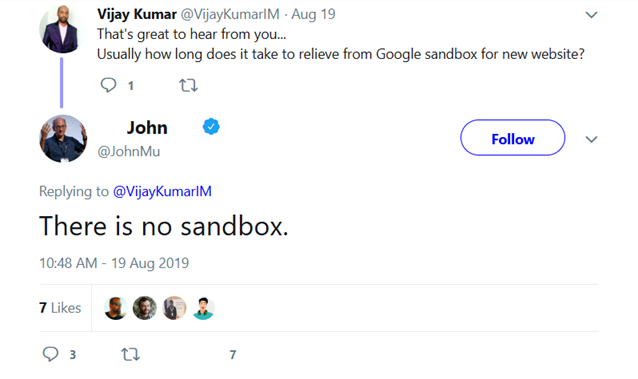
In order to combat spam, new sites get algorithmically throttled for 3 to 6 months until you show the right trust signals and prove you are “legit”…whatever that even means. Google again denies that it exists (but they never lie, right?). However, we know it’s real because the 2024 leaks showed the exact attributes that prove it.
I love this John Mueller screenshot, by the way:
Do you see what I’m getting at here?
As a new site, you need to prove yourself to Google, NOT build hundreds of expensive links.
Your job for now is to build the foundation: Free links, brand signals, citations, social profiles, etc. Then, once Google trusts you, you can start building high authority links at a natural pace.
OK, now that you know WHY link building as a new domain is so much different than an aged domain, let’s cover my 10 best methods for building legit, safe links to a new site.
10 Link Building Strategies for New Websites
The best link building strategies for new websites include social media links, links from friends or connections, citations, press releases, and building linkable assets that attract backlinks naturally.
These strategies cover all of your bases: You’ll build trust, increase your site’s authority, get referral traffic, and smash your way out of the sandbox in no time.
Here are the 10 strategies in more detail, roughly in the order I’d tackle them.
Social Media
Social media link building is the lowest hanging fruit in SEO. As a new website, I would start here for a few reasons. It’s easy, free, and looks 100% natural. Which business doesn’t have a social media presence?
While social media links are usually nofollow (meaning they don’t pass any “ranking juice”), they still provide a few instant SEO benefits, including:
- Referral traffic
- Improved content indexation
- Building trust and credibility with search engines
- Adding to a natural link profile
- Establishing brand consistency
Don’t overthink it. Just do it now. Hell, you should do it while reading this article.
All you have to do is set up your profiles, fill them out, and link them back to your site. That’s really it. You can knock it out in one afternoon. If you need some inspiration, take a look at my X page:
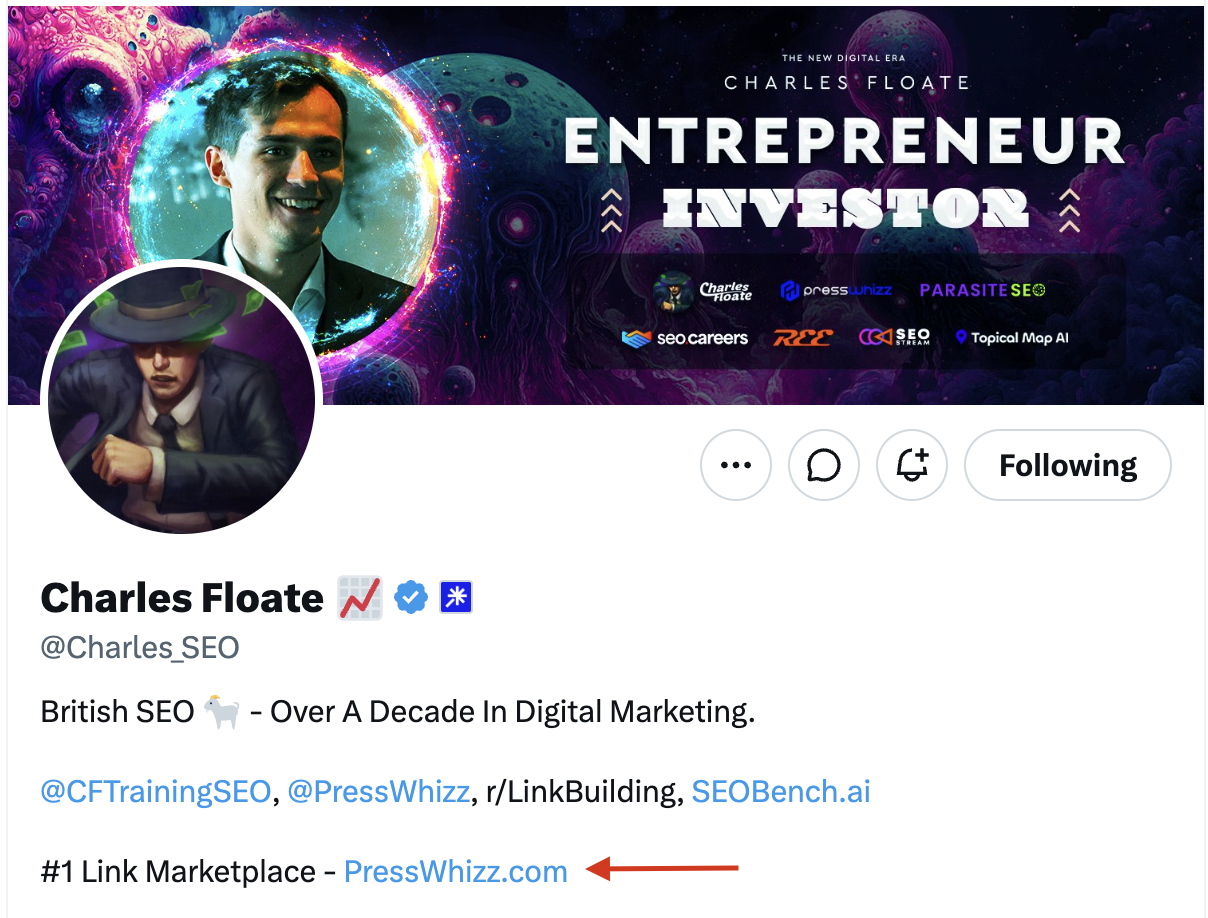
Don’t listen to the trolls who say social media links don’t matter. They 100% do. Google wants to rank real entities, and your social profiles prove that you are real. This has been proven true by real data.
In December 2025, Google rolled out a social channels report in Search Console that automatically associates your social profiles with your brand entity in the Knowledge Graph. In other words, Google is openly mapping your social presence to your brand.
Once Google’s Knowledge Graph recognizes you as a brand, your SEO levels up and you unlock powers such as faster indexing, eligibility for sitelinks and knowledge panels, and better odds of surviving the next algorithm update (because you’re “more real”).
Here’s how to start building links to your new site with social media:
- Claim your brand name on LinkedIn, X, YouTube, Instagram, Pinterest, Facebook, and Reddit, even if you won’t post on half of them
- Use the exact same name, logo, bio, and URL everywhere
- Fill out every field…empty profiles look like spam
- Add your social profiles to your organization schema via the sameAs property
That last step is important. It explicitly tells Google “these profiles are mine” in structured data, so Google doesn’t have to guess.
Here’s the schema I recommend using:
| <script type=”application/ld+json“>
{ “@context“: “https://schema.org“, “@type“: “Organization“, “name“: “Your Brand Name“, “url“: “https://yoursite.com“, “logo“: “https://yoursite.com/logo.png“, “sameAs“: [ “https://www.linkedin.com/company/yourbrand”, “https://x.com/yourbrand”, “https://www.youtube.com/@yourbrand”, “https://www.instagram.com/yourbrand” ] } </script> |
Here’s the schema I recommend using:Paste in your homepage’s <head>, swap in URLs, and you’re done.
Ask Contacts for Links
Using your existing network is a great way to land low effort links for a fresh website.
In fact, I think the easiest links you’ll ever land are from people who already know you or have done business with you. This is an underutilized link building strategy that I’ve been using for more than a decade.
Start asking suppliers, partners, clients, former employers, your friends and family, and anyone you know who runs a blog. For example, I once built a dozen links to a client’s eCom store just by asking suppliers to add a link to our site in their partner’s database.
If you’re a business selling products or services, there are so many easy ways to obtain new backlinks from partners, clients, or even local institutions.
Here are four types of contacts you can contact to start building free links:
- Suppliers or clients: Ask for a placement on their “Trusted By” page or ask a former client if you can build a case study and they post it on their site.
- Former employer or collaborator: Ask to be added to their partners or resources page.
- A friend with a relevant blog: Offer a quick expert quote or guest paragraph in exchange for a link. Or, just ask them to link to you and see what they say.
- Anyone you’ve done business with: Trade testimonials with former clients. You write one for their site (with a link back to yours), they write one for yours.
Take one evening to create a spreadsheet of 20 contacts, and start reaching out to people via email or directly on social media. I bet you can realistically build a few foundational links just by asking nicely.
Local Citations or Industry Directory Citations
If you run a business, local citations are an instant way to build high quality local links. For local businesses, this should be step #2 for you after building out your social profiles.
A local citation is an online mention of your business’s name, address, and phone number (NAP) on another site, preferably one with brand recognition and authority. Some local link building websites you’re familiar with include Google Business Profile, Yelp, Bing Places, Apple Maps, Yellow Pages, etc.
Here’s an example of a local New York plumber with a good local citation strategy:
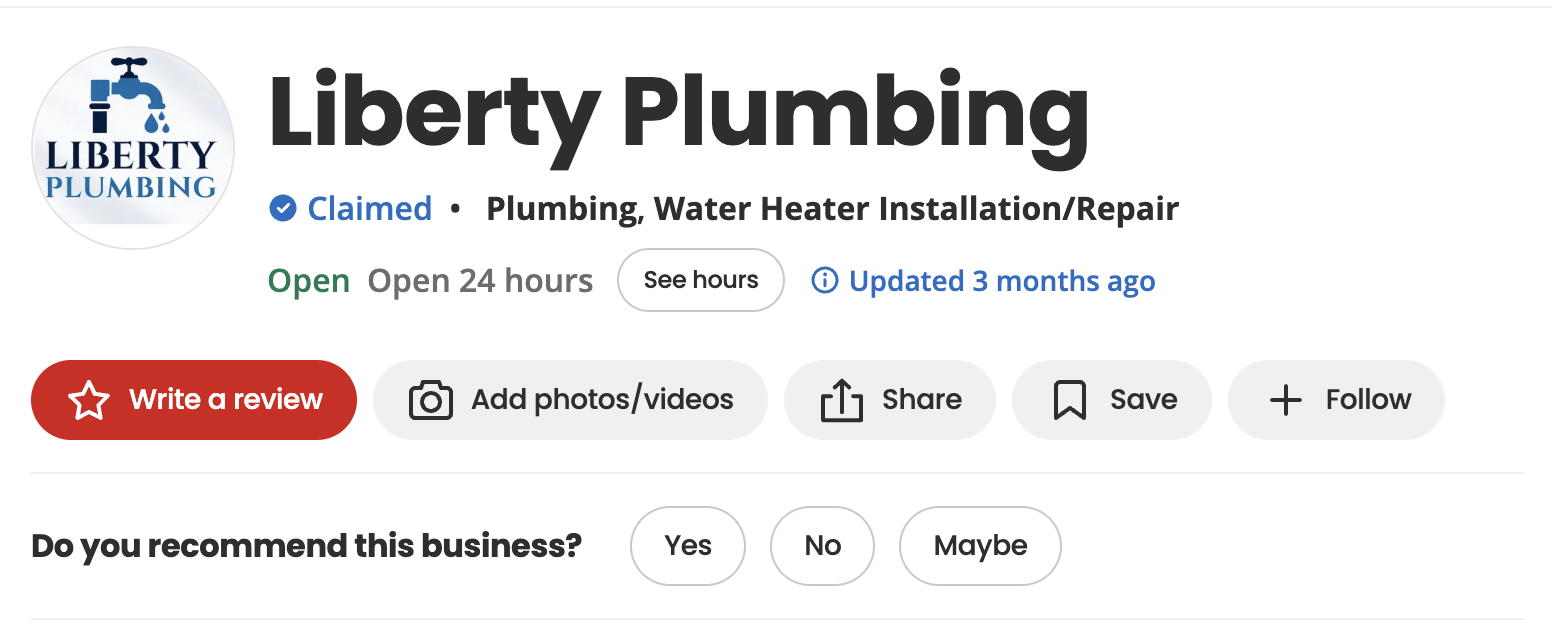
They’re recommended on Yelp, but they’ve also got profiles with matching NAP on all major local directories, including:
- MapQuest (this is still around?)
- Atly
- Yahoo
- Nova Circle
- Nears.me
Each one of these citations tells Google you’re a real business and that you serve a certain location. These are the best trust signals you can build while you’re in the sandbox, and they’re a core ranking factor for any key terms that include “near me”.
And on the business side of things, local citations also provide direct referral traffic. Your site might not rank #1 for “plumber in New York”, but your profile on Yelp might show up in a “top 10 plumbers NYC” page that does rank #1 for that keyword.
So, get to work on building out citations on any directory related to your business: Crunchbase, Yelp, TrustPilot, FourSquare, Local Yahoo, etc.
The most important rule is NAP consistency. Your name, address, and phone must be identical on every listing. “ABC Co.” and “ABC Company” fragment your entity, so pick one name and stick to it.
Press Releases
Press releases are one of the best ways to build links for a new site quickly and start bringing in some much needed referral traffic. They build brand authority, help you gain exposure, drive referral traffic, and, of course, earn you some high authority backlinks.
It all comes down to accelerated visibility, traffic, and authority. If you’re launching a new business, nobody knows you (including Google). But if your name gets in front of readers on Reuters, Forbes, Yahoo, or any other major media outlet, that’s an instant influx of authority, traffic, and trust you can’t get through any other method.
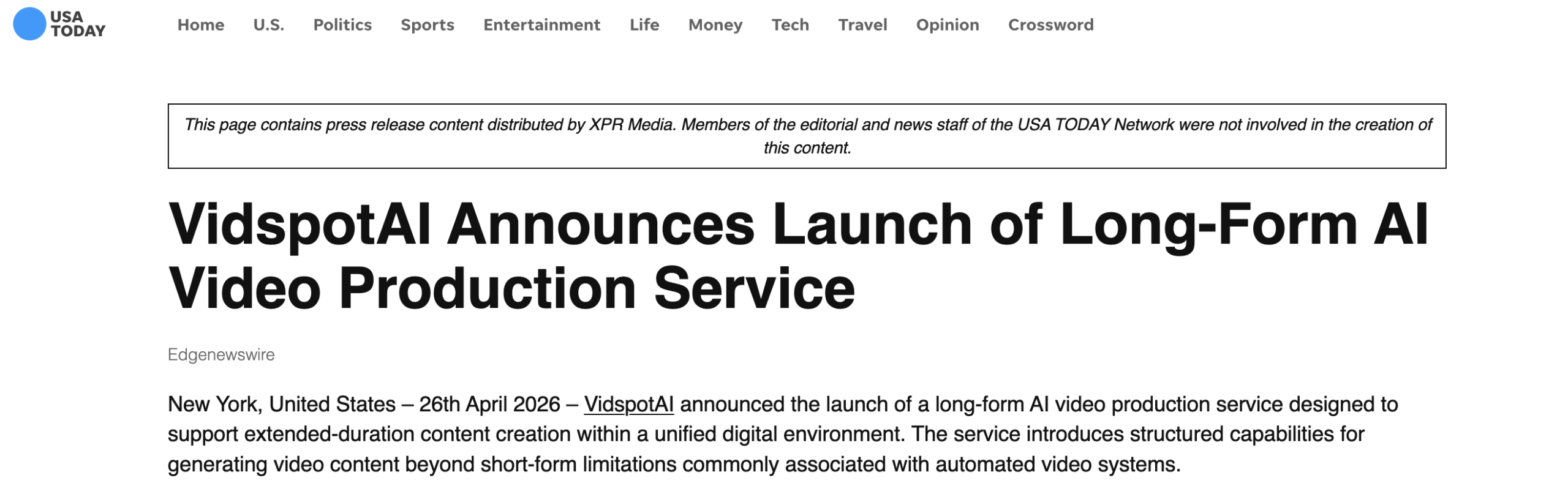
Here’s a great example of a new AI tool, VidSpotAI.com, getting exposure and a DR 92 backlink with one press release on USA Today:
And, while DR is not everything, it can’t hurt to have a DR 90+ website linking to you:
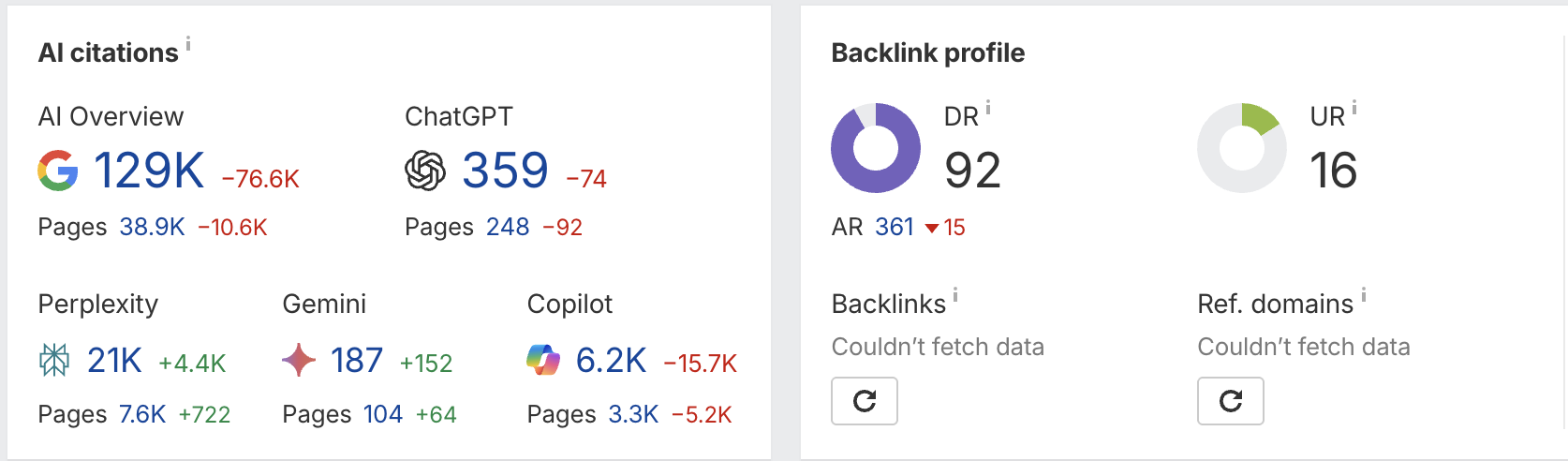
Even if it’s a nofollow link, you still get the SEO advantages of brand awareness, referral traffic, and building a natural looking link profile.
Note: Whether you get a nofollow or dofollow link usually depends on the outlet. Some big media outlets only do nofollow links. However, it’s totally possible to get high authority dofollow links from DR 80+ media sites. Either way, there’s a ton of SEO value in both.
My advice?
If you’ve got the money and you’ve already done steps 1-3, release a press statement through one of the big PR services like EIN Presswire, PR Newswire, or Business Wire, and get yourself syndicated to Yahoo Finance, MarketWatch, and regional news sites.
Linkable Assets
Linkable assets (also called link magnets) are high value pieces of content that naturally attract backlinks. The most common formats are original research, free tools, infographics, and definitive guides.
With linkable assets, you create content that your target audience finds valuable, and they naturally link to it simply because either they (or their audience) find it useful.
Here’s a good example of a piece of “link bait” I have here on PressWhizz.com, 50+ link building stats:
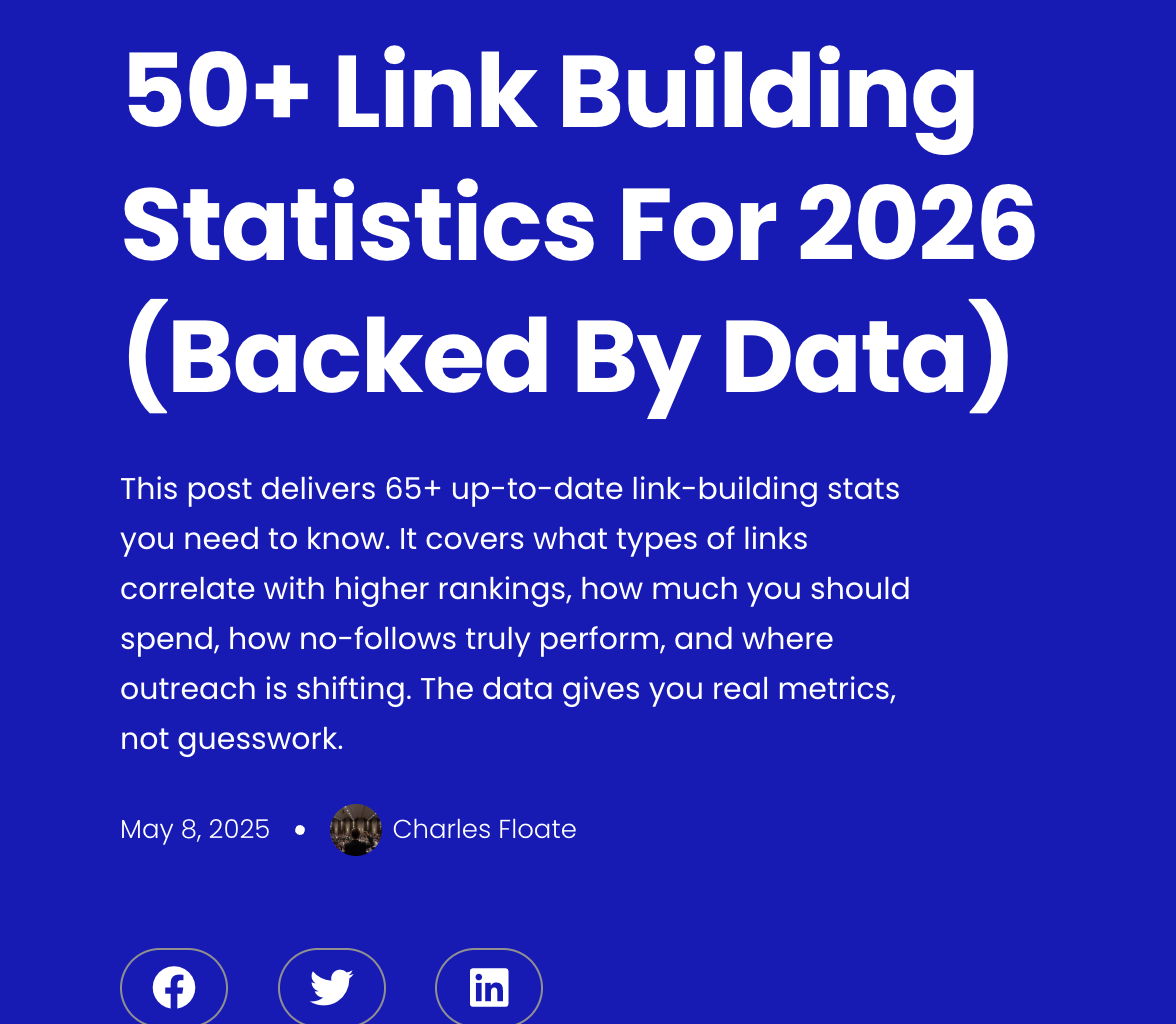
I publish unique, industry related stats. Other people need stats to reference in their writing, so they link to my piece when citing stats on their site. It’s a win win for both of us.
In my experience, building one good linkable asset can do more for your new site than months of outreach.
Here are my top types of linkable assets for new websites…
Free Tools
Free tools are the best type of linkable asset for a new website in 2026. When you build something genuinely useful, people reference it in articles, tutorials, and roundups regularly without any extra work on your end. Not to mention that the tool itself can rank for keywords AND bring in referral traffic.
Let’s cover some of the best examples of free tools crushing it in 2026…
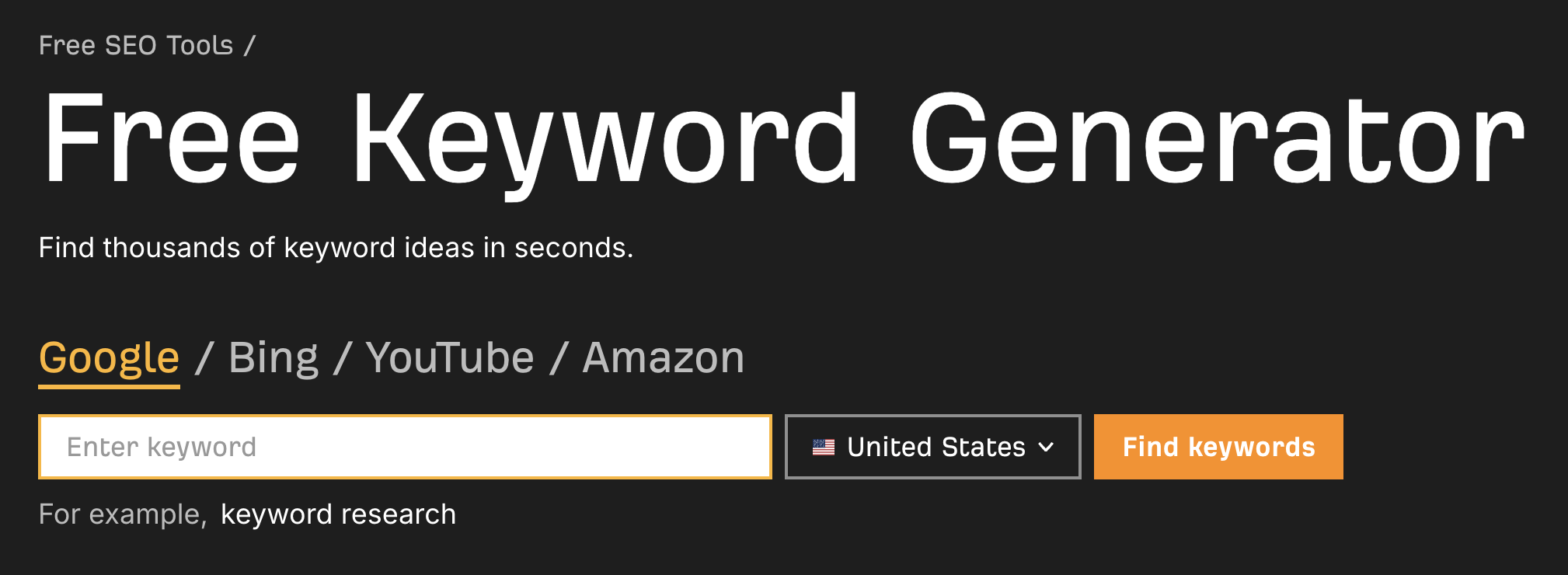
First, we have Ahrefs’ free keyword generator. This tool alone has generated countless industry relevant links for Ahrefs:
Another one from evil megacorp, HubSpot, is their Website Grader. Is it great? No. Is it helpful for SEO? Not really.
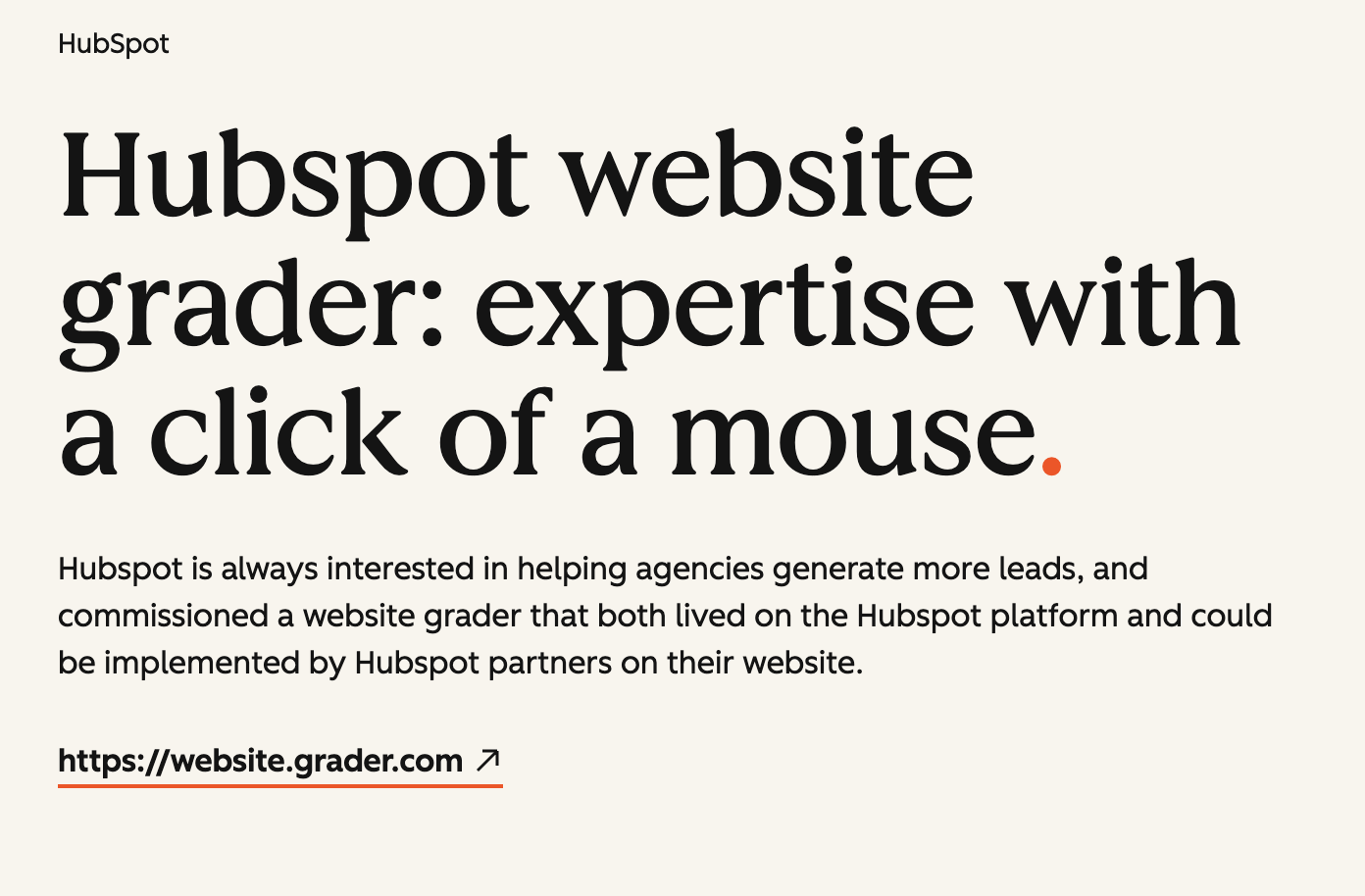
Does it generate tons of backlinks? Hell yes, it does.
Here’s one more example from a smaller site, Solar Reviews. They created this simple solar panel cost savings calculator:
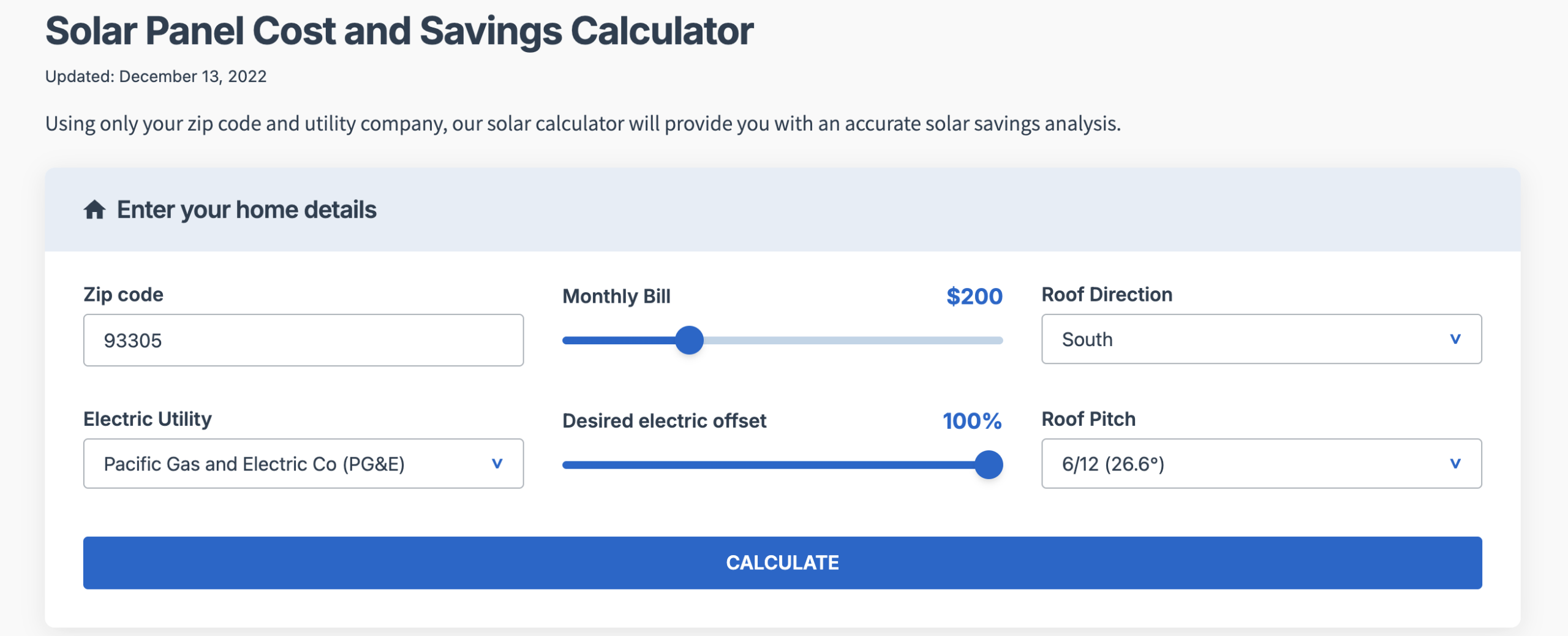
I bet they made this tool in a few hours with AI. Any idea how many links they’ve gotten from it?
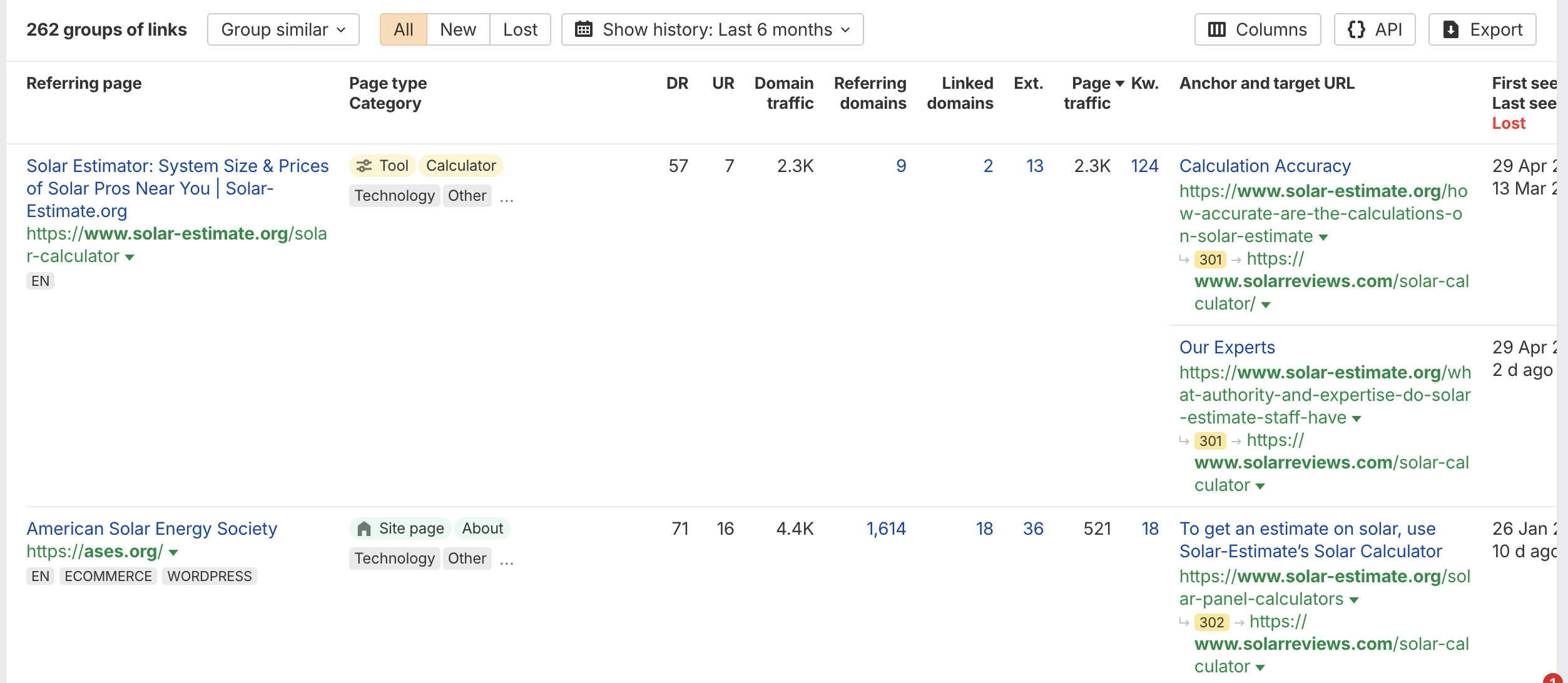
262 high quality links, including one from the American Solar Energy Society. Talk about generating some high authority, relevant editorial links.
You don’t need to build something complicated. A simple calculator, score checker, or readiness grade generator will do.
Publish Original Research Like Statistics
Journalists and bloggers need data to cite, and so do government institutions, academia, and pretty much anyone else online who needs to prove a point. If you publish high quality, original research in the form of statistics, there’s a good chance it will generate links for your website.
My go-to move here is to start publishing industry statistics. Statistics pages are a passive backlink machine, and they don’t take much effort to create. If you’ve got proprietary data, even better.
Here’s an example where Clutch Marketing teamed up with Conductor to survey 459 marketing professionals on how they’re using LLMs for content:
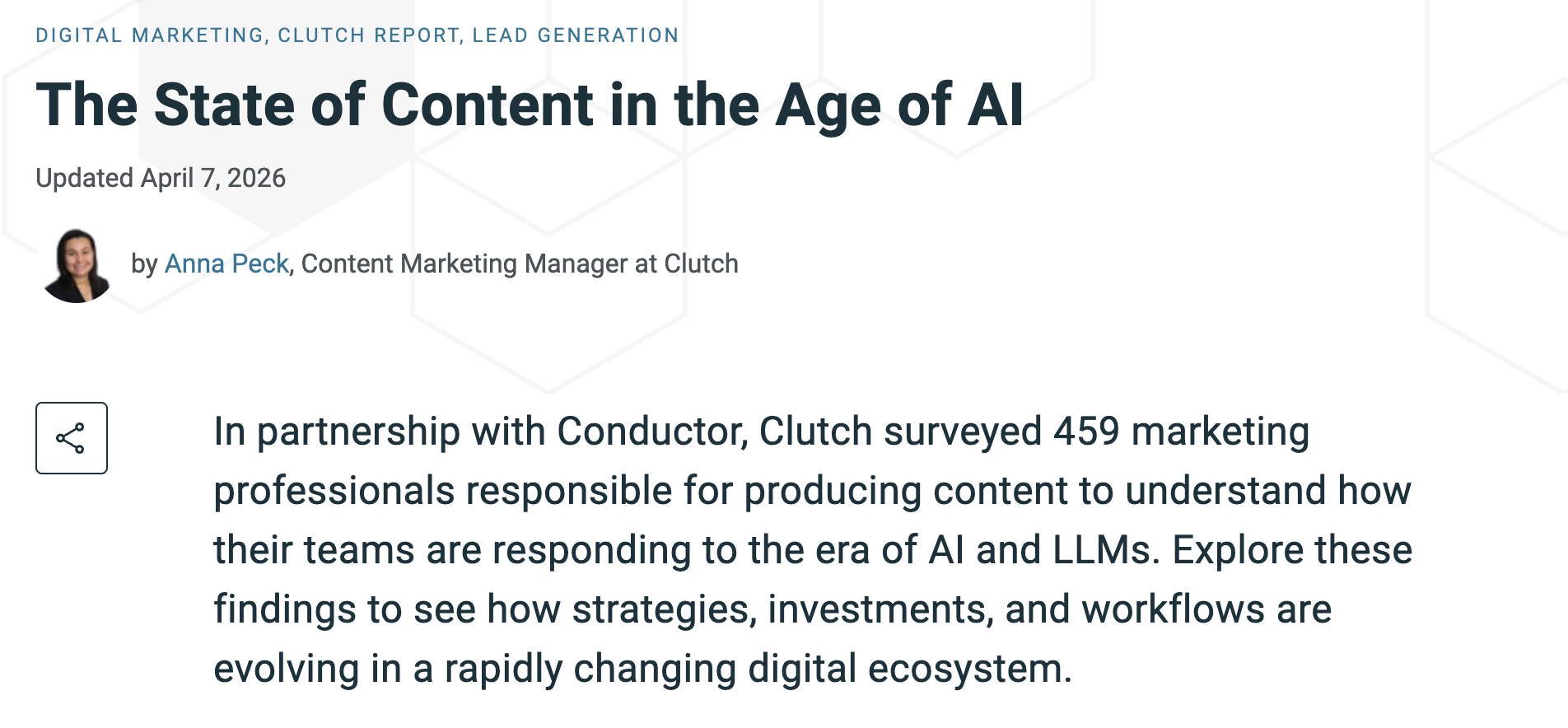
This piece has everything: Credibility, stats, the AI buzzword, and industry relevance (for the Clutch audience).
They then created a bunch of cool graphics like these:
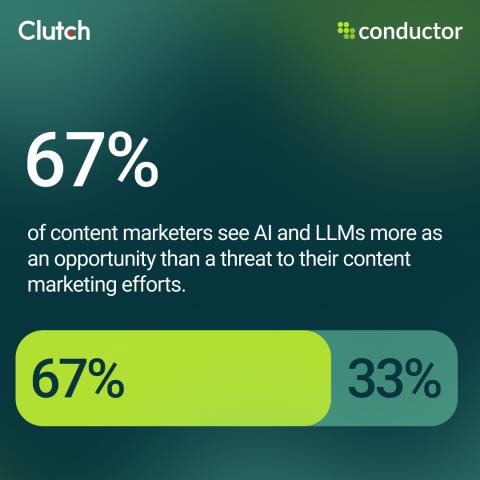
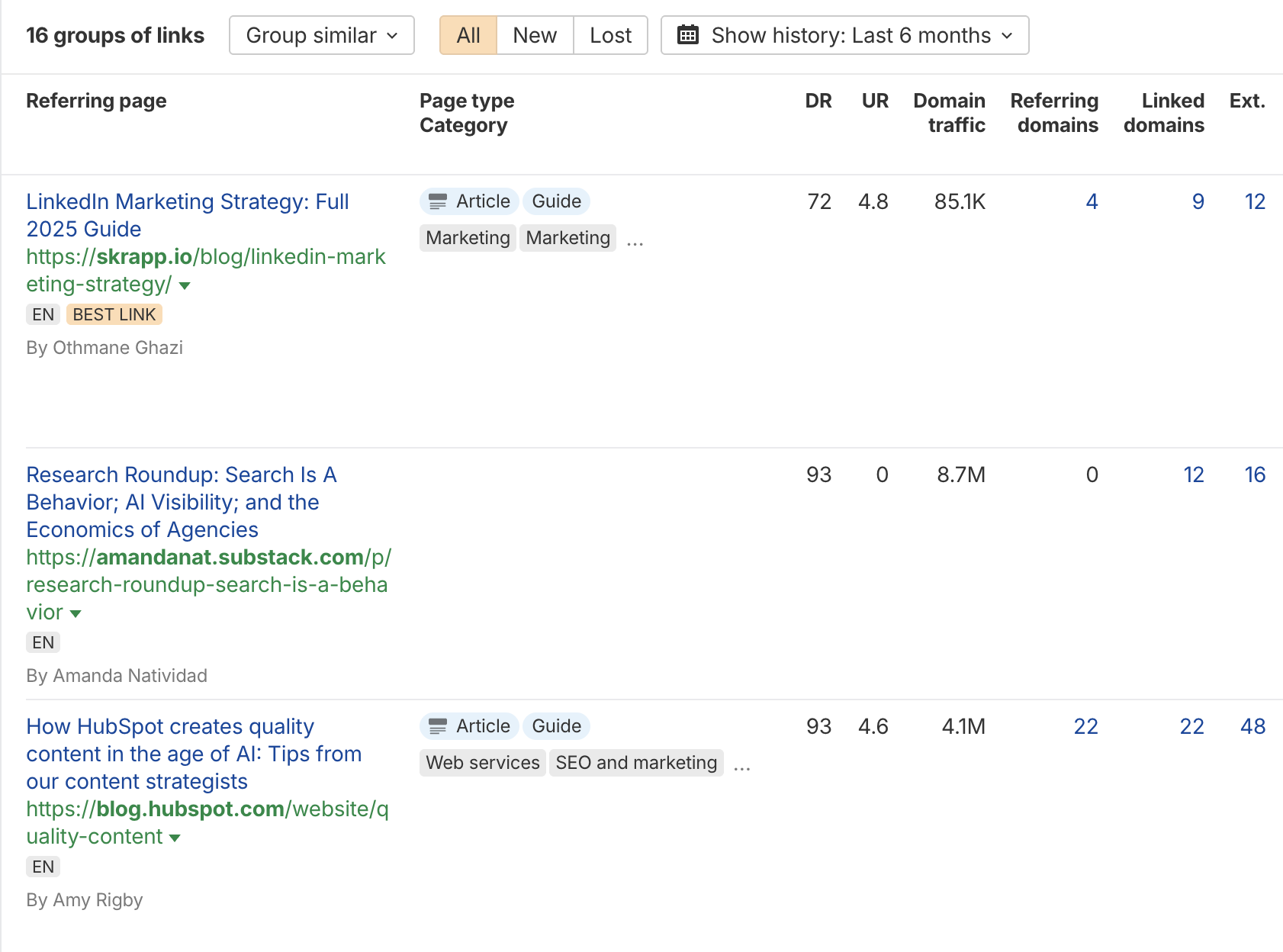
The result? 16 links (plus that one I just gave them above), and it’s only been about 2 weeks. And one of the links is from HubSpot:
You don’t need a massive dataset to start attracting natural links. Here are three easy paths to publishing original research:
- Survey your audience or industry (50 respondents is plenty)
- Analyze your own internal data (orders processed, emails sent, conversion rates, support tickets, anything you’ve measured)
- Compile existing public stats into one cleanly formatted resource
Then publish it as a stat roundup page, like “X [Industry] Statistics for 2026”.
Here’s a good example of how my stats page got us an industry backlink from Keyword.com:
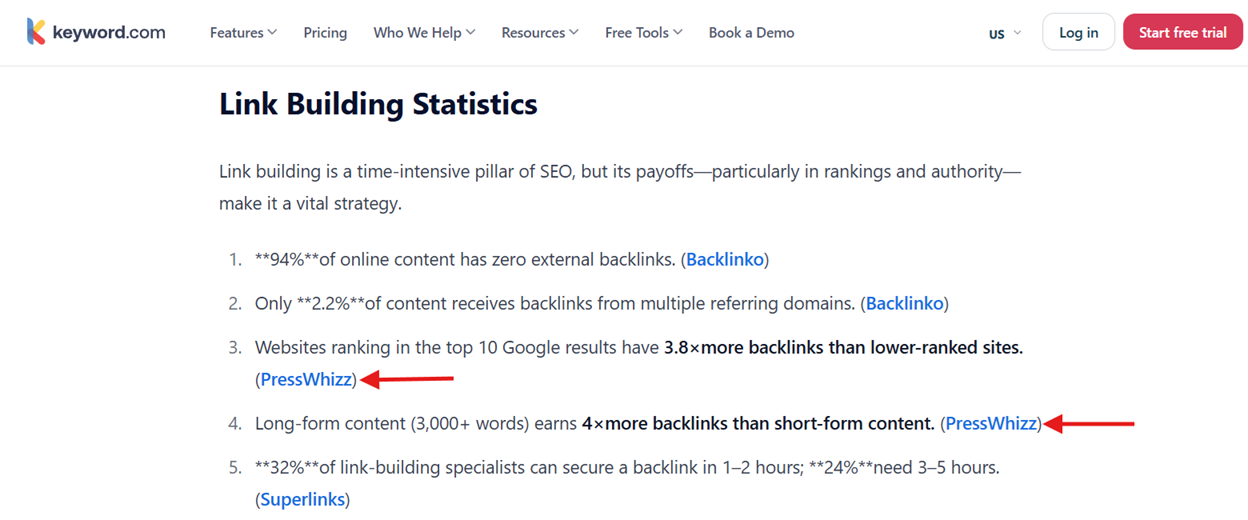
PressWhizz got cited twice in this article. We didn’t pitch, didn’t ask, and didn’t pay. That’s as good as it gets with link building in 2026.
Complete Guides
Definitive guides earn links because you’re giving away free, evergreen knowledge that people will keep referencing for years (if they’re good). A complete guide on a topic should cover everything from what it is and why it’s important to examples and, if necessary, a step-by-step tutorial on how to do it (e.g., how to buy backlinks). Good examples of complete guides that I love include Moz’s Beginner’s Guide to SEO and Backlinko’s keyword research guide.
Another great example is HubSpot’s “Guide to Facebook Marketing” that generated…wait for it…2,400+ backlinks:
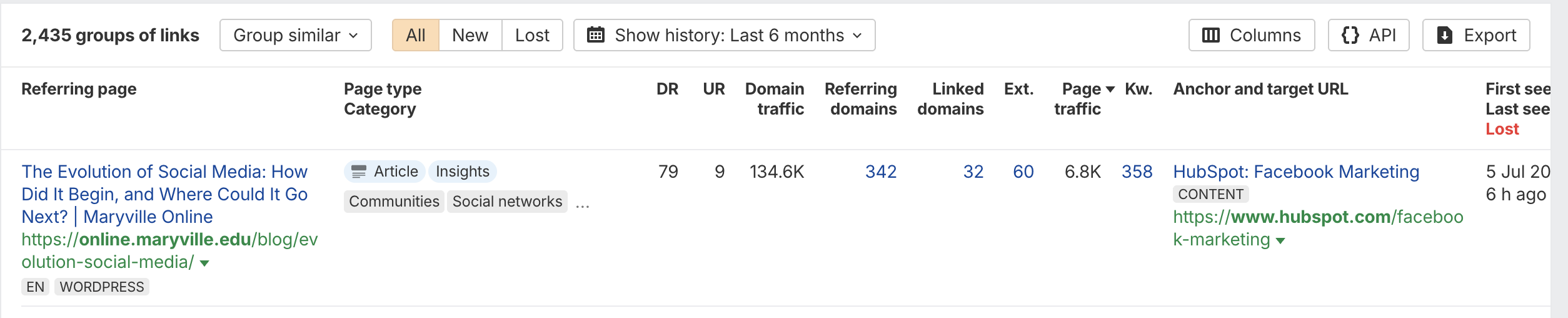
Must be nice, Neil Patel.
The reason I like complete guides is that they’re relatively easy to produce and can attract backlinks for years. They also work as a great lead magnet. You offer them for download in exchange for an email, which means the same asset that’s earning you backlinks is also feeding your email list.
My rule of thumb for complete guides is to make them as definitive and detailed as possible with screenshots, expert quotes, tips, and in depth details (kind of like this post you’re reading now).
Here’s how to build a definitive guide:
- Google your target topic and open the top 10 results in tabs
- Your guide must cover every subtopic they cover, plus 3-5 they don’t
- Beat the longest one by at least 10-15% in word count (only if the extra words add value, not filler)
- Include at least one element none of them have: Original data, a custom visual, a calculator, a video walkthrough, downloadable templates
That’s how you build a linkable asset that people appreciate and want to link to.
Infographics
A well designed infographic summarizing a complex process or dataset is an easy piece of link worthy content to build and interesting ones often generate backlinks. Some can even spread like wildfire if they go viral. As always, I suggest you stack these link building strategies. When you write a complete guide, make infographics too. If you create stats posts, turn them into infographics. You get the idea.
It’s easy to get links from visual media, because writers and journalists often use them to enrich their own articles and link back to the source. Sometimes, another industry blog might add it to their site as well and link back to you.
Here’s a good example of an infographic on real estate SEO Backlinko created that generated high quality backlinks, industry relevant links:
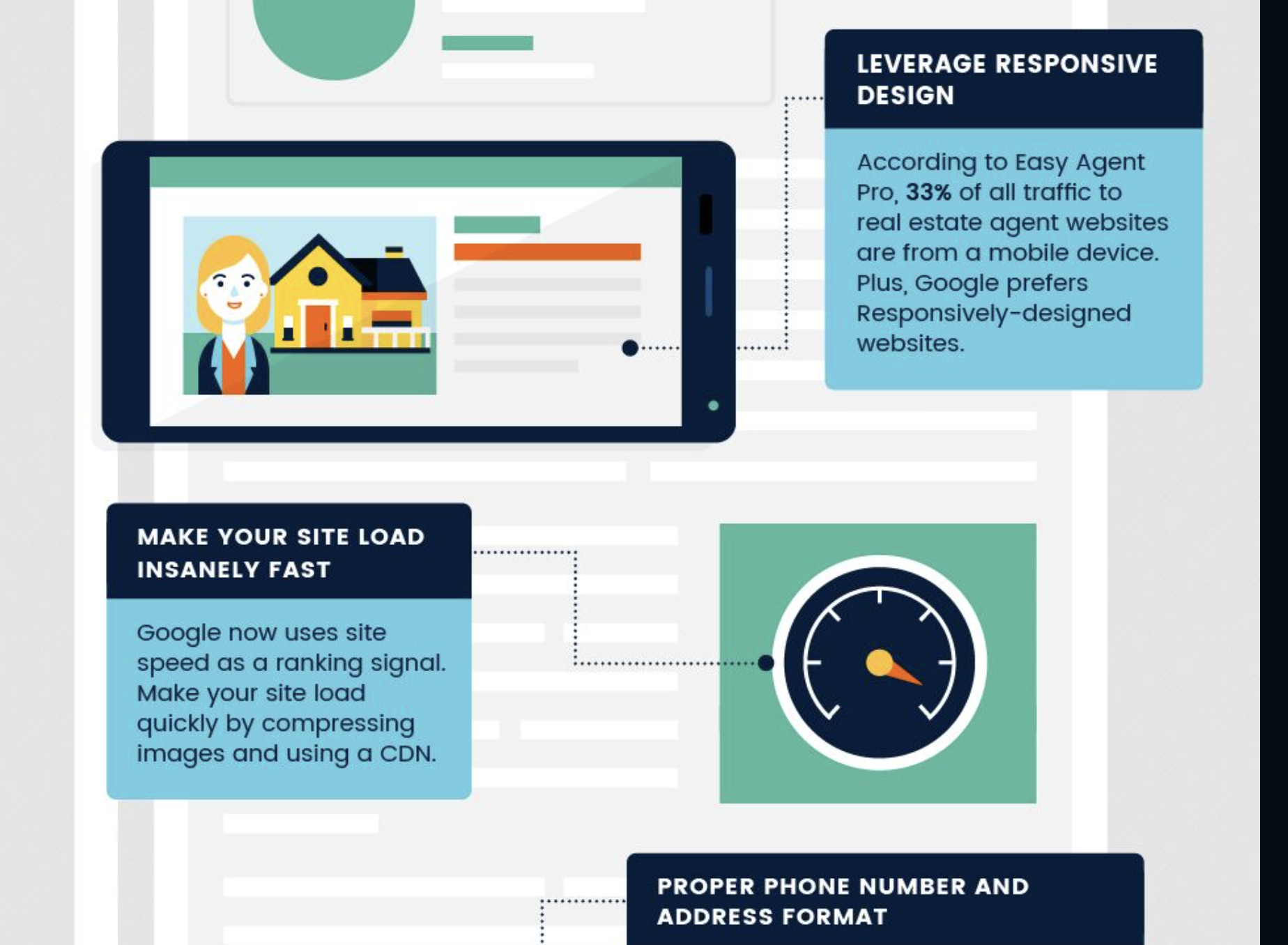
And there’s literally 0 excuse to not do this when Canva and AI exist. Anyone can make infographics nowadays.
Pro tip: Add an HTML embed snippet directly under your infographic on your own site. When someone copies the code to use the visual, the backlink automatically comes with it. Siege Media has a free generator (hello, linkable asset!) that does it for you in 30 seconds.
One more thing.
Pinterest is a gold mine for infographics. It’s a visual search engine and infographics are the perfect format. Another thing I love about Pinterest is that pins keep driving traffic for years (unlike a tweet…or an X?… that dies in 4 hours). Bloggers scout Pinterest for visuals. If they find yours, the embed code does the rest. White hat links, who knew I had it in me.
Guest Posting
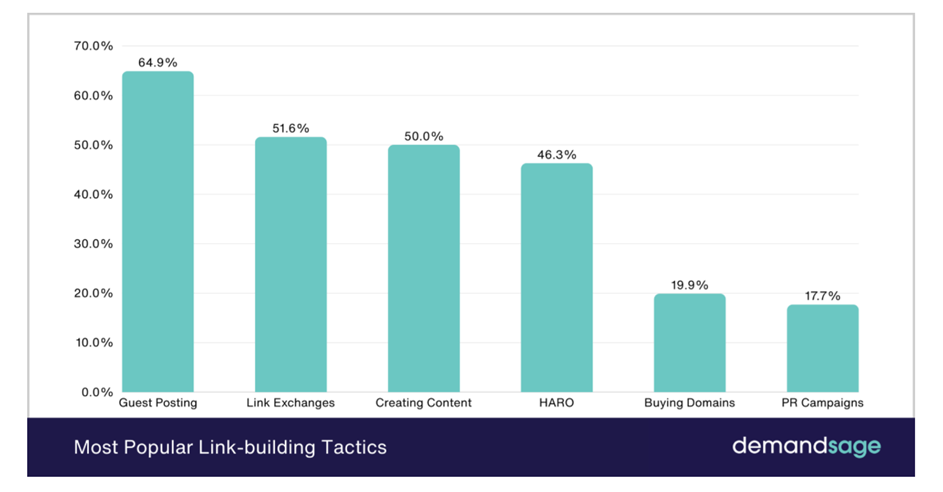
Guest posting is when you write an article for someone else’s website, and in return, you get a link back to yours. It’s one of the oldest strategies in the game and still one of the most effective. According to DemandSage on their page “Most Popular Link-Building Tactics”, nearly 65% of link builders use guest blogging as their primary strategy.
Personally, I’ve overseen tens of thousands of guest post placements, and they are incredibly effective. For a new site specifically, it does double duty: You get the link, AND you get your brand in front of a new audience who might be interested but doesn’t know you yet.
I just want to add a caveat here about guest posting as a fresh website. I would not begin a guest post link building campaign until I had the following things in order:
- Foundational links (social media and citations)
- Press releases
- At least 15 blog posts
- A few link magnets
- My sales funnel (or at the very least, a pop-up to email sign up to email sequence)
You want to have your “stuff” together before spending a lot of time (or money) on guest posting.
So, how are you going to find those guest posting opportunities?
You have three choices: Manual outreach, buying guest posts from a marketplace, or hiring a third party to help you. I’ll run through each quickly here:
- Manual: This is when you perform cold outreach to prospective link partners. You need to locate them, send an email, and negotiate the price, and that’s if they even respond. It appears to be free, because you don’t spend any money to send the emails. But it actually costs more due to the time investment and lack of bargaining power you have with website owners.
- Marketplaces: Marketplaces like PressWhizz act as middlemen that facilitate link placements. They are, in my opinion, the best place to buy backlinks. We find websites willing to accept guest posts and display them on our marketplace, and you browse the marketplace to find the ideal link partner based on metrics like authority, traffic, price, and location. I know I’m biased, but it’s just math. This saves you money by getting you better prices for links AND saving you countless hours of outreach.
- Agencies or Freelancers: This is when you hire third party help to facilitate guest post placements. They are hit or miss, and you can expect to pay anywhere from $50/hour for a good freelancer to thousands of dollars per month in agency retainer fees. If you want to outsource link building, read our complete guide for pricing guidance, vetting techniques, and more.
Note: Don’t listen to what Google says about white hat link building vs. black hat link building. Black hat tactics, like link buying, work perfectly fine so long as you do them right. And if you don’t know how to buy backlinks, check out our guide on that topic to protect yourself from scams and get the best ROI possible.
Niche Edits
Niche edits, also known as link insertions, are when you insert your link into an existing content that already has traffic and search engine rankings.
With niche edits, you identify a relevant article on a site that is already ranking for related keywords, and you add a link to your site into that article. The relevance, ranking juice, and authority all flow to your site, and you should get an SEO boost from it.
The benefit of link insertions versus guest posting is that you skip the hard part of buying a link placement and praying Google ranks the article, and instead get a faster payoff from content Google already trusts.
That aged authority is why niche edits work faster than guest posts for a new site. I almost always add niche edits to a link building campaign for a new site after I’ve built foundational links.
Before we move on, let’s cover what Google thinks of niche edits.
Let’s drop the white hat pretense for a second: Everyone pays for niche edits. Paid links are better, faster, and have higher ROI than most white hat links.
Google claims they police niche edits, which violate their spam guidelines (that they never enforce and nobody follows). However, in my 15+ years of experience, I haven’t been penalized once (for niche edits…I’ve been penalized for many other things…rightfully so). And that’s after…err…countless thousands of niche edits bought or sold in my lifetime?
Just don’t be an idiot about it. Stick to real sites with real organic traffic in a relevant niche, and avoid cheap bulk packages. The only people I see getting in trouble are the ones buying those 100 links for $100 packages on Fiverr.
Broken Link Building
Broken link building is when you find broken backlinks on other websites (pages that 404 or redirect to nowhere), then email the site owner pointing out the dead link AND offering your relevant page as the replacement. They fix their SEO. You get a link. We are all happy.
Broken link building is one of the most common SEO link building tactics because it’s free and conversion rates are higher than typical cold outreach. After all, the site owner has a real problem (the broken link hurts UX and SEO) and you are fixing it for free.
But manual outreach is a SLOG. So, my advice is to pay a VA like $5/hour to do the outreach for you. It’s just not worth your time.
Here’s my 5-step broken link building process:
- Find a competitor’s dead page: Plug a competitor’s domain into Ahrefs Site Explorer, go to Best by Links, and filter for 404 errors. You’re looking for pages that used to rank and earn links but no longer exist.
- Pull the backlinks pointing to that dead page: Every site linking to it has a broken link that they probably don’t know about.
- Find your matching content (or create it): Your replacement page has to actually cover the same topic the dead one did. If you don’t have it, write it first.
- Email each linking site: Mention the broken link, where you found it, and suggest your page as a replacement.
- Follow up once after 5 days: If they don’t respond after two tries, it’s usually a sign they aren’t interested. If you’re stubborn, maybe you can find them on social media, but the link better be worth it if you invest that much time.
In my experience, average reply rates for broken link building are 2-5%, but building a quality replacement that closely matches the dead resource improves the success rate by 40-60%, according to Backlinko’s guide “Broken Link Building”. The whole game is in step 3. It’s worth taking the time to create something super high quality to replace what was broken.
Pro tip: Paste the dead URL into the Wayback Machine to see exactly what the original page looked like. That tells you the topic, structure, and depth you need to beat with your replacement.
Digital PR
Digital PR is the Gold Standard of link building, and it’s how brands acquire powerful, high domain authority links from major outlets like Reuters, MSN, USA Today, and Forbes. In my opinion, it’s the most powerful form of link building there is. If link building has a final boss, this is it.
Digital PR is pretty simple: You create something newsworthy (a data study, survey, contrarian take, viral campaign, or just a newsworthy story), then pitch it to journalists at real publications.
When they cover the story, you get a high authority editorial link that’s usually “dofollow”…if you get free or “earned” media coverage.
That’s at least how PR works in the white hat fairy tale world that Google wants you to think exists. In reality, everyone pays for digital PR, and that’s totally fine. Here’s a quick way to tell if something is earned or paid for: Check to see if the link is nofollow or dofollow.
Here’s a TechCrunch article on some dog food for people with way too much money:
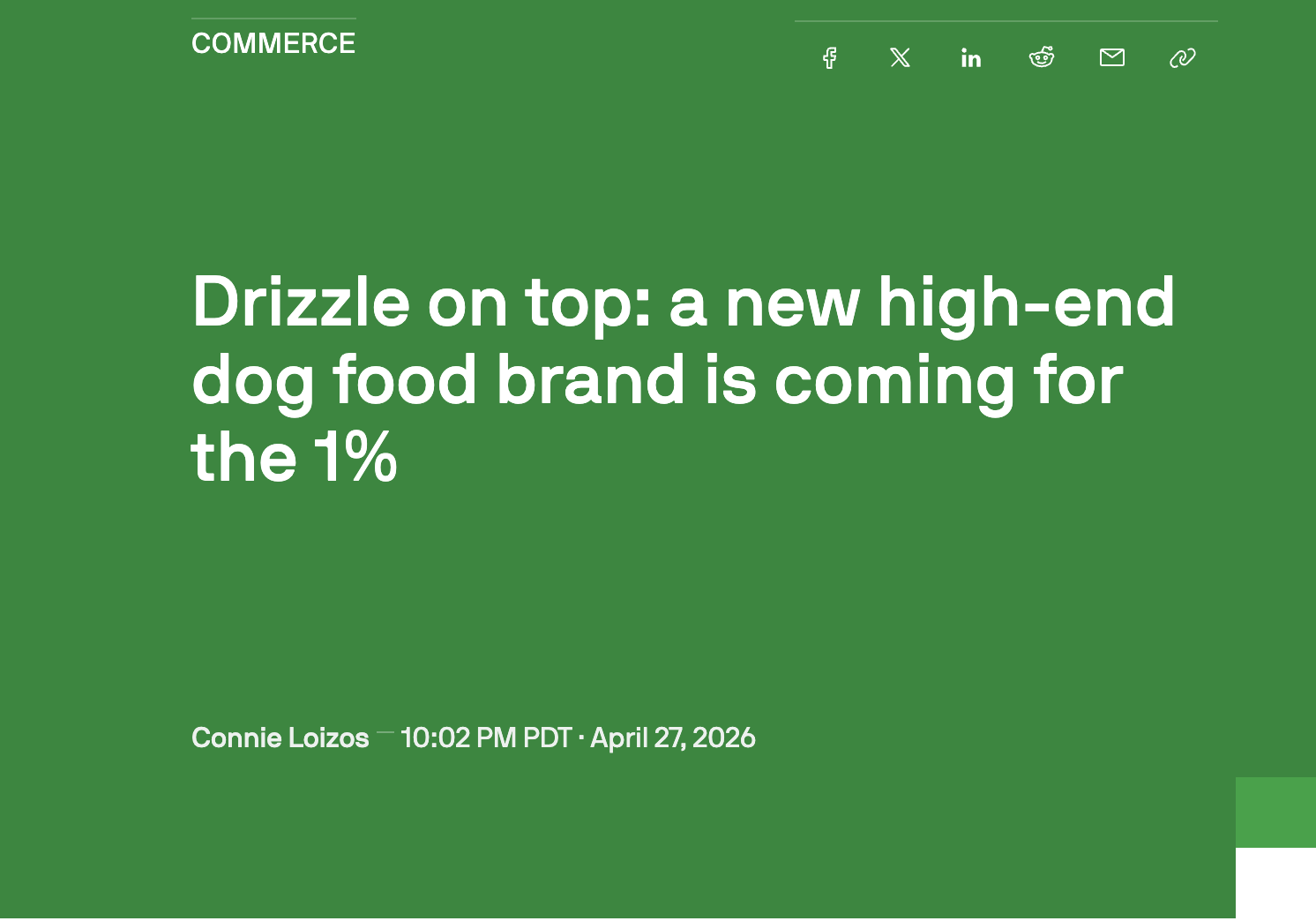
And the link to the company, Golden Child, is nofollow.

Since Google wants big sites to use rel=nofollow for sponsored media, there’s a good chance this is a paid placement.
I’m not inferring that nofollow PR links are not valuable. TechCrunch is a massive site, and Golden Child will get SEO, branding, and relevant traffic benefits from this article for sure.
My point is that almost all media placements are paid. Nobody is reaching out cold to TechCrunch saying “hey, want to write about my dog food that only nepo babies can afford?”.
TL;DR: There’s nothing wrong with paying for media placements.
The only issue here for new sites is the cost.
PR can cost anywhere from a few hundred dollars for a single release to thousands per month for a retainer. Some companies pay tens of thousands of dollars for sponsorship deals with sites like Forbes.
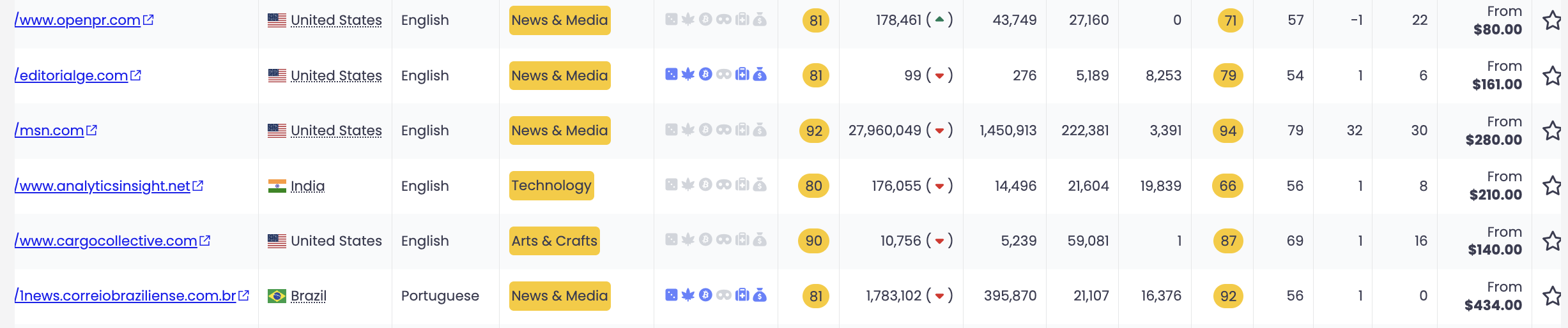
At PressWhizz, we help our customers get discounts via our connections to high authority media sites. As you can see in the image below, our high authority media placements can run anywhere from $80 to $400. Some go as high as $1,000+.
Here’s an example of a “newsworthy story” that is actually a paid placement facilitated by a digital PR firm:
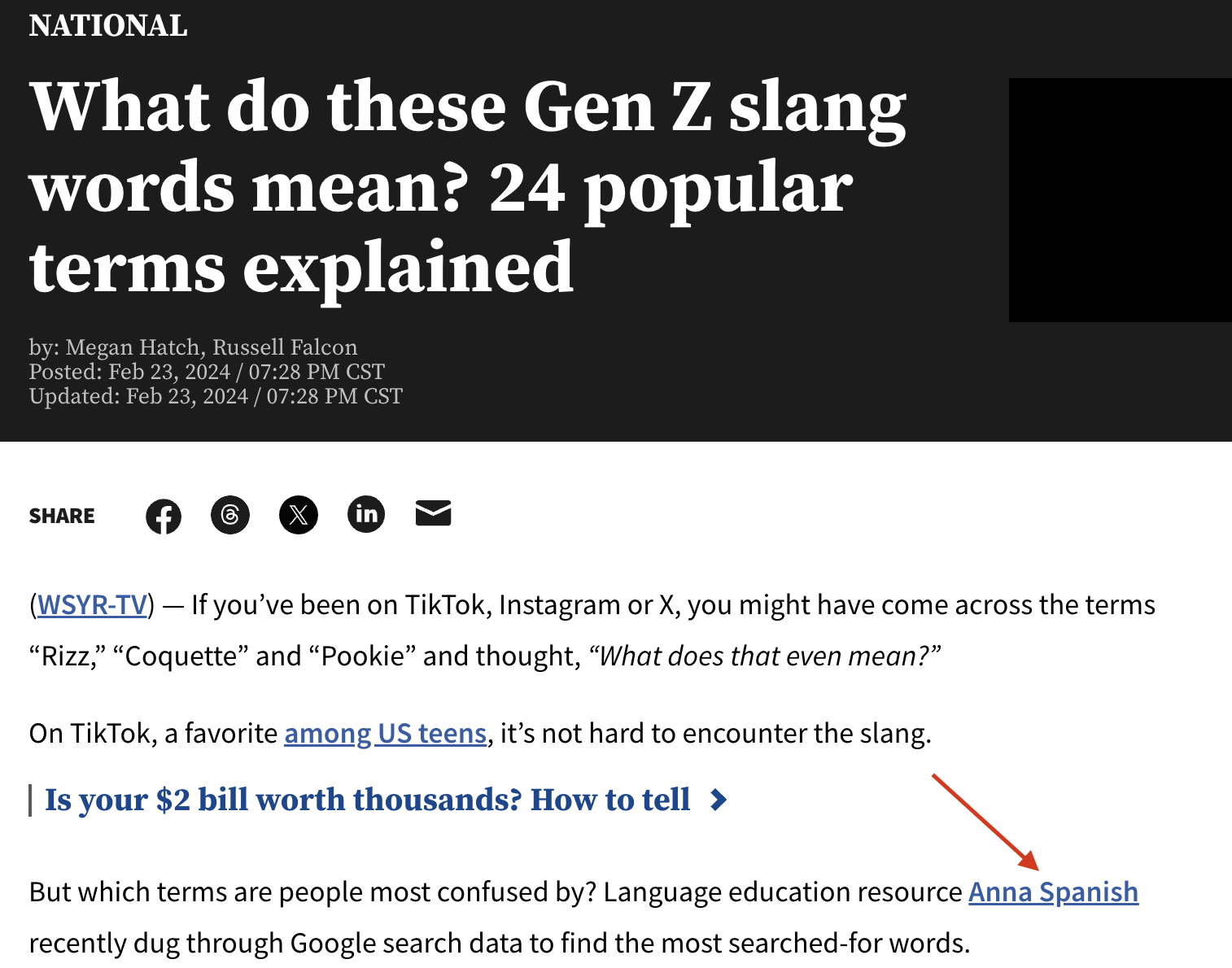
Anna Spanish, a Spanish language learning service, has paid a firm to get her website placed on this CBS website. Is the story interesting? Yeah, kind of. Is it the type of “earned media” that Google bots shill for 24/7? No. This was bought and paid for…and that’s fine.
My advice is to hold off on digital PR until you’re a more established site. Get everything else in order first, then, when you’re out of the sandbox, start blasting high quality PR links from major media sites.
In fact, it might be better to focus on something more affordable, like brand mentions using a service like HARO…speaking of that…
HARO Outreach
HARO (Help a Reporter Out) is a type of digital PR that journalists and bloggers use to find expert sources for their articles. You sign up as a source, get daily emails with reporter queries, and pitch your expertise on the ones that match your niche. When a journalist uses your quote, you typically get a brand mention or a backlink from a high-authority publication.
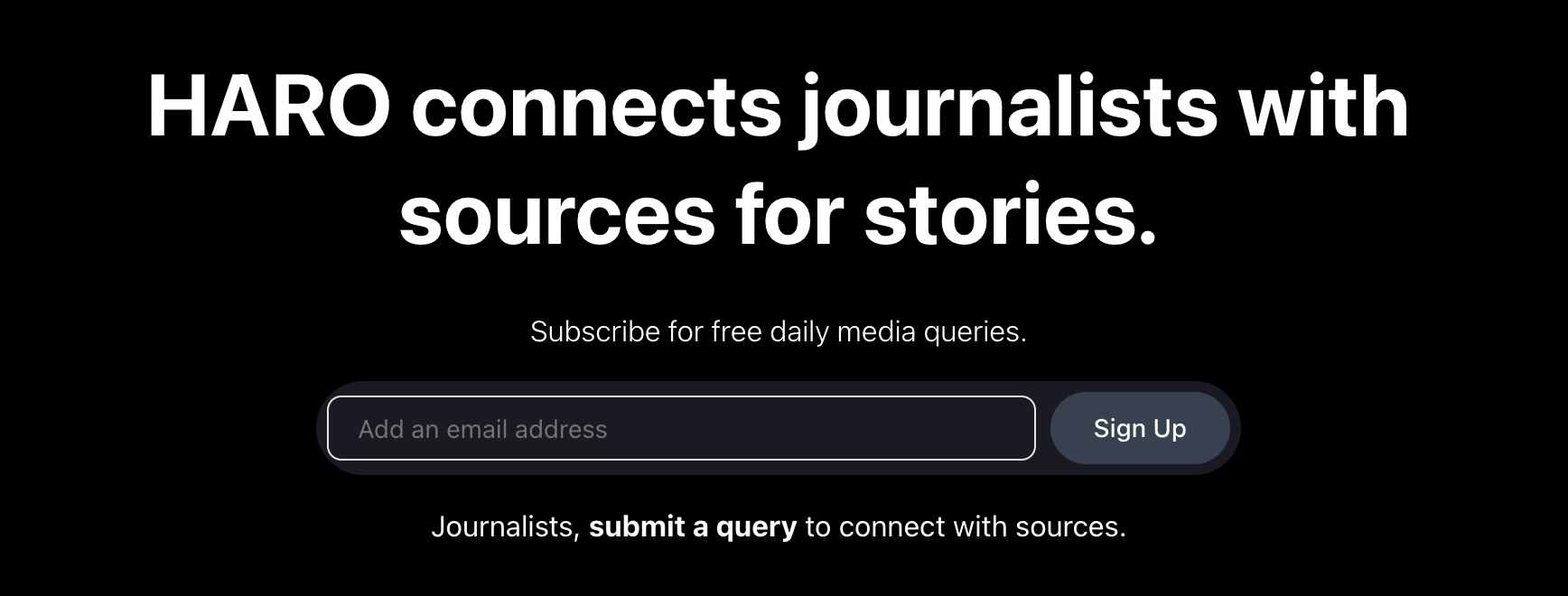
HARO, or other PR “connector” sites, are great for new websites because they usually cost nothing (or a low monthly fee) for top tier links. It’s just competitive to earn mentions.
The reason I and every other SEO on planet Earth love HARO is because you earn genuine editorial links without paying a dime. No white hat sycophants, including John Mueller, can call a backlink from Forbes or Business Insider manipulative when a real reporter chose to quote you on something you’re an expert in. When you do get quoted in articles, you also tend to get relevant traffic, brand recognition, and added trust signals that improve a new site’s search engine optimization.
HARO is more of a blanket term now for the type of PR platform that connects you with bloggers, reporters, or journalists. The original platform changed hands, but you’ve got plenty of alternatives that work the same way like:
- Qwoted
- Featured
- Source of Sources (SoS)
I have an entire article on HARO alternatives, by the way, if you’re looking for something better. HARO is a bit slow and super competitive. You may want to find something more niche with more relevant link opportunities.
Link Building Plan for a New Website (What Would I Do in Your Shoes?)
OK, you know why building links to a fresh website is challenging, and you have the strategies you need to execute.
Now what?
As promised, here’s my 7-step link building blueprint for a new website. This is exactly what I would do in order.
Follow this to a T and you will be able to compete in even the toughest niches.
Step 1: Social Media Links
This is the first thing I do with every new site I start. Before anything else, claim your social profiles.
Fire up Twitter/X, LinkedIn, Facebook, YouTube, and whatever platforms fit your niche. These are the easiest links you’ll ever build, and they create the kind of brand footprint that tells Google a real business exists behind the domain. You don’t need to be active on all of them right away. Just build out your profiles and link back to your home page.
Step 2: Industry Directories
Industry directories are low hanging fruit that will give an instant boost to a new site. My advice is to get listed on as many free, relevant sites or directories as possible.
Start with the big general ones like Yelp, BBB, Manta, and Hotfrog, then work your way into the niche specific ones. For example, a law firm should be on Avvo and FindLaw, a contractor should be on Houzz and Angi, and a SaaS company should be on G2 and Capterra.
A quick way to find the ones you’re missing is to Google your top competitors and see which directories come up. Or even use AI with a prompt like “find my direct competitors’ listings on sites like Crunchbase, etc. Anything that looks like a directory, add it into a spreadsheet, and create dropdown menus with options for not listed, in progress, and listed”.
Step 3: Tap Into Your Network
Next up, I recommend reaching out to people you already know before you spend a dollar on link building. Former clients, business partners, suppliers, colleagues, friends who run websites or blogs…ask if they’d be willing to link to you from a relevant page on their site.
Step 4: Competitor Analysis
Now that you’ve built the foundation, it’s time to figure out how you’re actually going to outrank your competitors.
Pull your top 3-5 competitors into Ahrefs and start digging through their backlink profiles.
You want to know how many links they’re earning per month, where those links are coming from, what DR range dominates their profile, and whether they’re relying heavily on one or two link types like guest posts or digital PR. This will help you determine link type, link velocity, and your link budget (kind of).
Step 5: Start Publishing Content
You now know what kind of content attracts links in your niche (and have hopefully done your keyword research).
It’s time to start publishing high quality content with that in mind. Every piece you put out should have a reason to exist, meaning it should either target a keyword your competitors rank for, cover a topic that’s earned links for others in your space, or serve as a linkable asset you can pitch later.
I recommend adding linkable assets like free tools or stats pages into your content plan. Build that stuff first before moving on to topical authority pieces.
Step 6: Initial Link Building Phase
Now that you’ve got all of that in place, it’s time to start building some real links.
I of course recommend that you shortcut the process and start buying links immediately. Manual outreach will take way too long.
Start by getting some foundational press releases out, and get yourself some valuable and affordable niche edits. Once you’ve built a footing, then you can turn to buying higher authority links.
Step 7: Create an Ongoing Plan
Once you’ve worked through steps 1-6, you need a repeatable monthly process that keeps links coming in at the right velocity. That means sitting down and actually documenting your plan.
You’d be surprised at how many companies don’t do this.
Here’s what that plan should include:
- Monthly link target: Based on your competitor research, how many links do you need per month to stay competitive.
- Budget: How much you’re willing to spend on guest posts, link insertions, or digital PR each month.
- Target DR range: The minimum and average DR you’re aiming for so your profile doesn’t fill up with low-quality links.
- Target sites: A running list of specific sites you want links from, pulled from your competitor analysis and updated regularly.
Final Thoughts
In closing, I hope this guide has shown you why link building for new websites is so often misunderstood.
So much of the link building advice out there is either meant for established websites or is blatant disinformation from Google that tells you to focus on white hat, natural link building (while competitors that Google is literally in love with buy links and dominate).
It doesn’t matter. You have the blueprint based on my 17+ years in the SEO game. Here’s how to start building links for a new website in a nutshell:
- Start with foundational social media and industry directory links
- Next, get free links from contacts if you have them
- Research competitors and start building the bare bones of your link acquisition strategy
- Start with easy links like press releases and niche edits
- Once you have content on your site, a basic funnel, and some credibility with Google, start a guest posting campaign and building linkable assets
Whatever you do, do not listen to shills who tell you to spend 30+ hours a week on manual outreach to build links “the right way”. That’s going to waste your time AND get you crushed in the SERPs.
Building high quality links really isn’t that hard. Focus on buying links from relevant, high authority sites with real traffic and do so at a natural speed at a price you can afford.
If you’re just starting a new site now, I wish you luck.